


At some point I mentioned an idea about creating a scan back tool. I did actually end up writing one and was playing around with it but it can be dangerous to do because IP addresses can be spoofed and you might end up scanning a host that never sent you a packet and you have to be careful not to scan certain internal IP addresses that are sending you inbound packets (like routers sending DHCP packets). Still, it was pretty cool and I will write more about that later.
More context than a packet sniffer
The interesting thing is that I built a way to log and monitor all the packets into my script and was playing around with AI to analyze the packets. It’s pretty cool actually because you can post a random block of packets and just ask, “What are these packets doing?” and get a pretty decent answer in some cases. You’ll also get more context and information than you can get from tcpdump or Wireshark alone. I wrote about using those tools to analyze packets here:
https://medium.com/cloud-security/what-is-packet-sniffing-f03f50aa230
Fundamentals are still important
The downside is - sometimes it’s wrong. At one point I was analyzing some packets and it said my IP was a malicious hacker performing some attack which wasn’t at all the case. This is a great way to learn about dissecting packets - in conjunction with learning the math and using the tools to validate what you’re reading and the answers you’re getting back. I’ll show you some examples below where understanding how to convert hex to binary and so on and understanding packet headers is going to help you understand the analysis produced by AI tools. You can learn all about those things in my cybersecurity math posts:
https://teriradichel.substack.com/p/cybersecurity-math
Caveat
Don’t post unencrypted sensitive data or IPs into Google AI! Don’t post packets with unencrypted or weakly encrypted sensitive data into an AI tool that doesn’t offer appropriate protections. Consider that rock solid encryption today might be possible to decrypt tomorrow if you’re not using post-quantum encryption - and even if you are as technology advances. If something decrypted gets stored by an AI model and some vulnerability exists attackers might get access to it. Even if there’s no vulnerability can people at the company hosting the model access your data?
If you post things into a model that model may be training on that data and regurgitate what you have written to others. In addition, attackers have found ways to uncover prompts through various vulnerabilities. If you are going to be doing this with sensitive data you should probably be using a secure AI platform that protects your data from the model like AWS services can - if you choose the right method for using them. I have more information on that here:
https://medium.com/cloud-security/artificial-intelligence-2e97415216c0
What’s this IP doing?
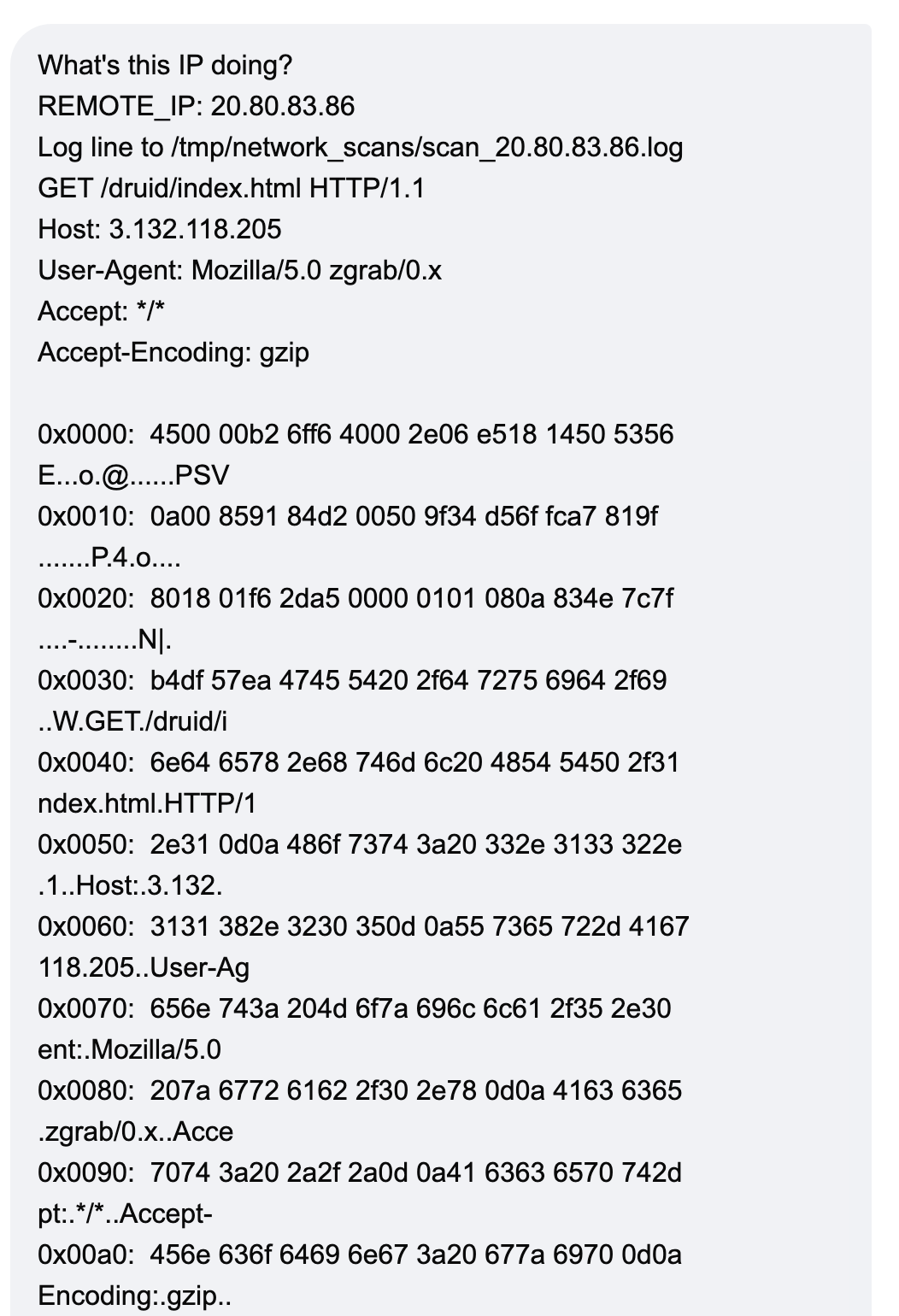
Here’s an example where I just grabbed a chunk of the logs and pasted them into Google’s aimode and asked what the IP is doing.
Here’s the response:
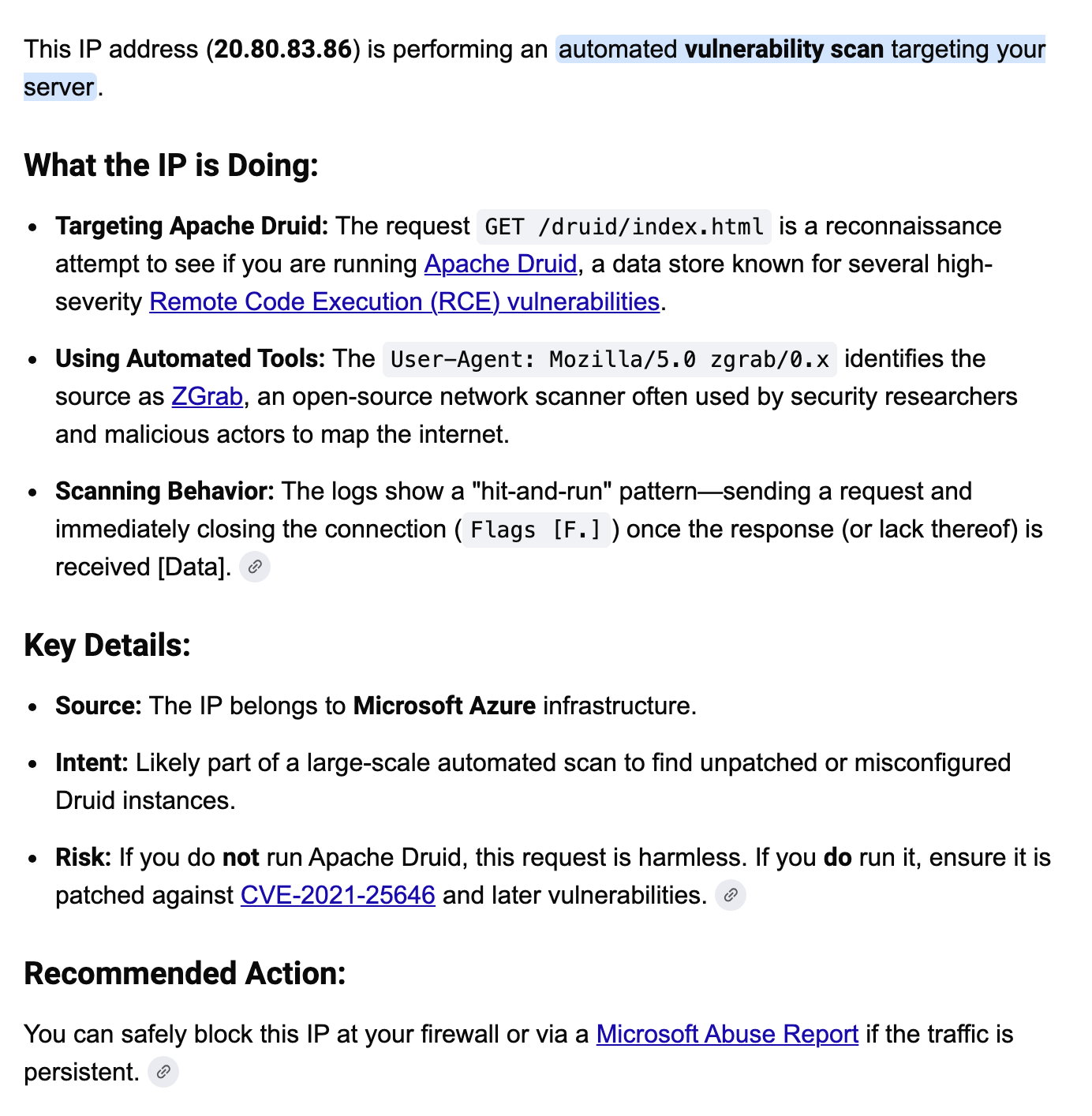
That’s pretty cool right? If I was looking at Wireshark I would have to follow the stream to try to put the http request and response back together potentially to see what a block of packets is doing, analyze it, and then go research what the particular information in those packets relates to - is it an attack or something benign? I’d have to go look up the owner in a registry like ARIN if I didn’t recognize the IP source. I’d have to search for where to report the abuse if I wanted to do that. Here I get that all back in one quick search!
Learn to dissect network packets
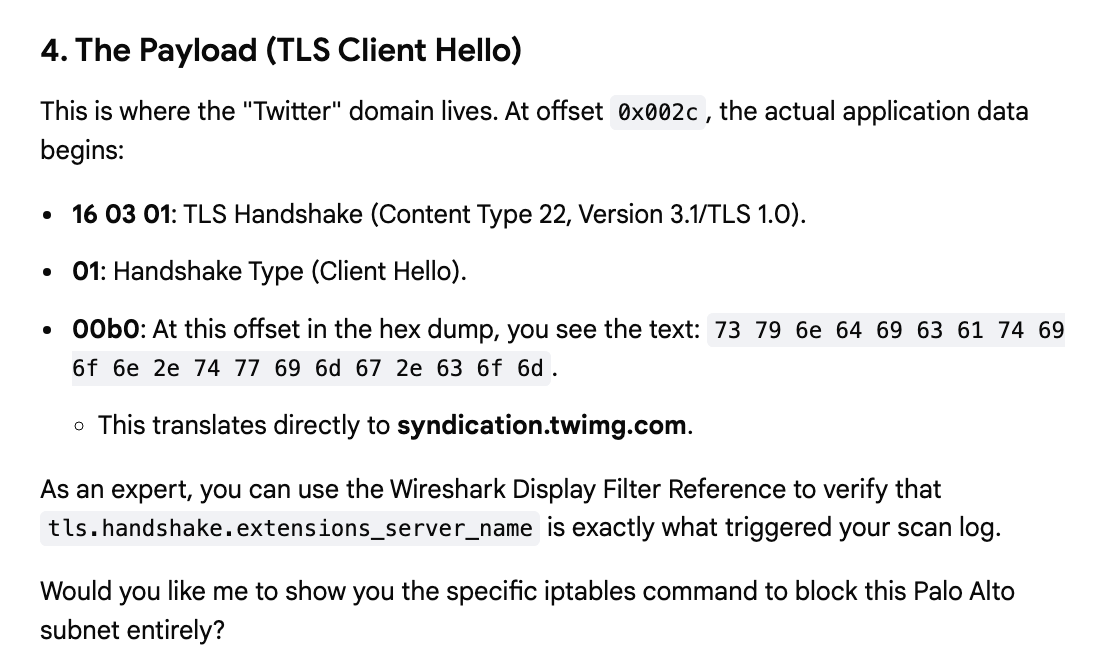
You can also use this to learn to dissect the packets possibly more easily. I saw a bunch of packets with a Twitter domain in them and I was wondering why. The answers to this question were confused a lot in a few different attempts to analyze the packets, perhaps because I didn’t provide all the packets for analysis. First let’s see how we can use Google AI to help us dissect the packet.
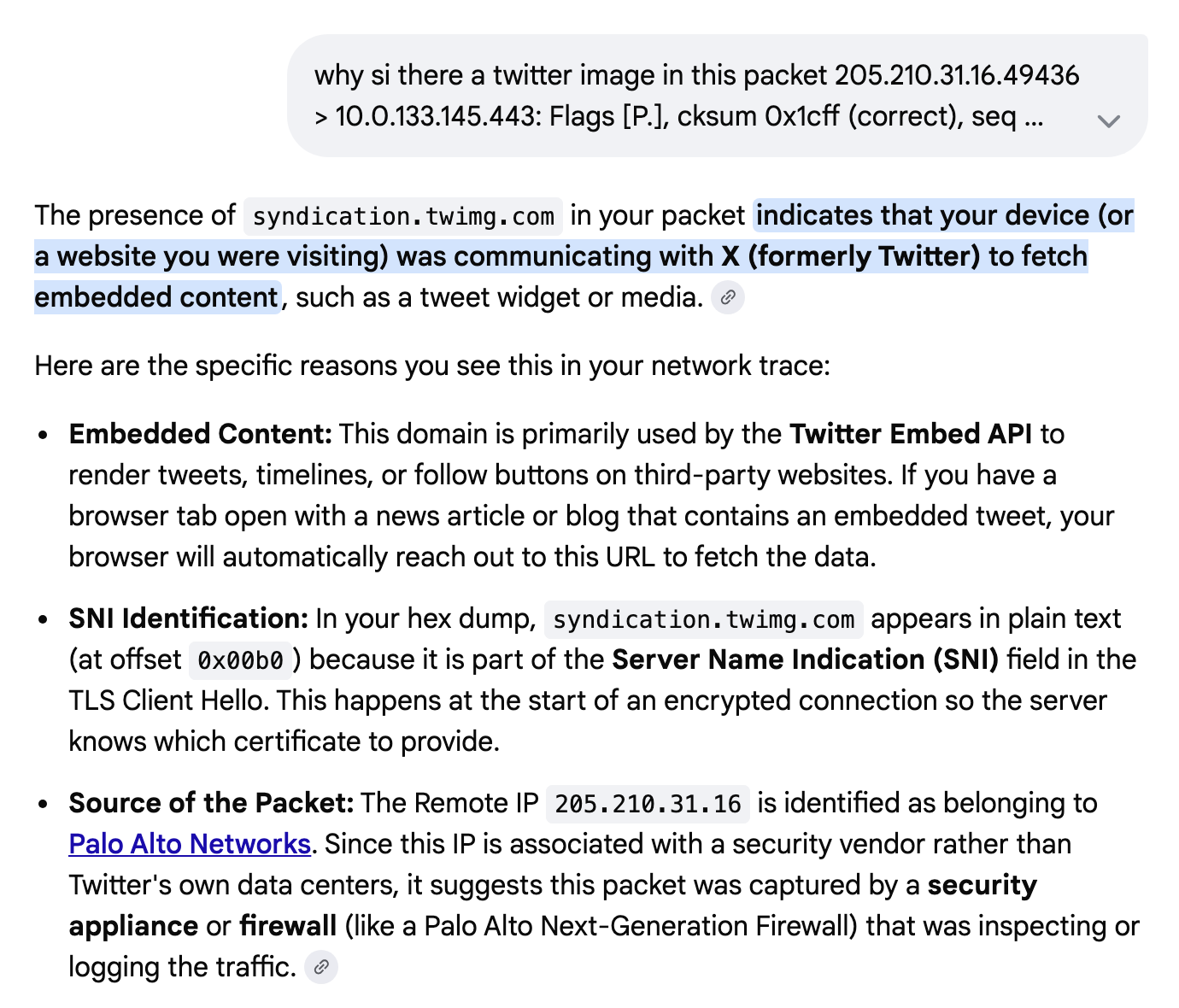
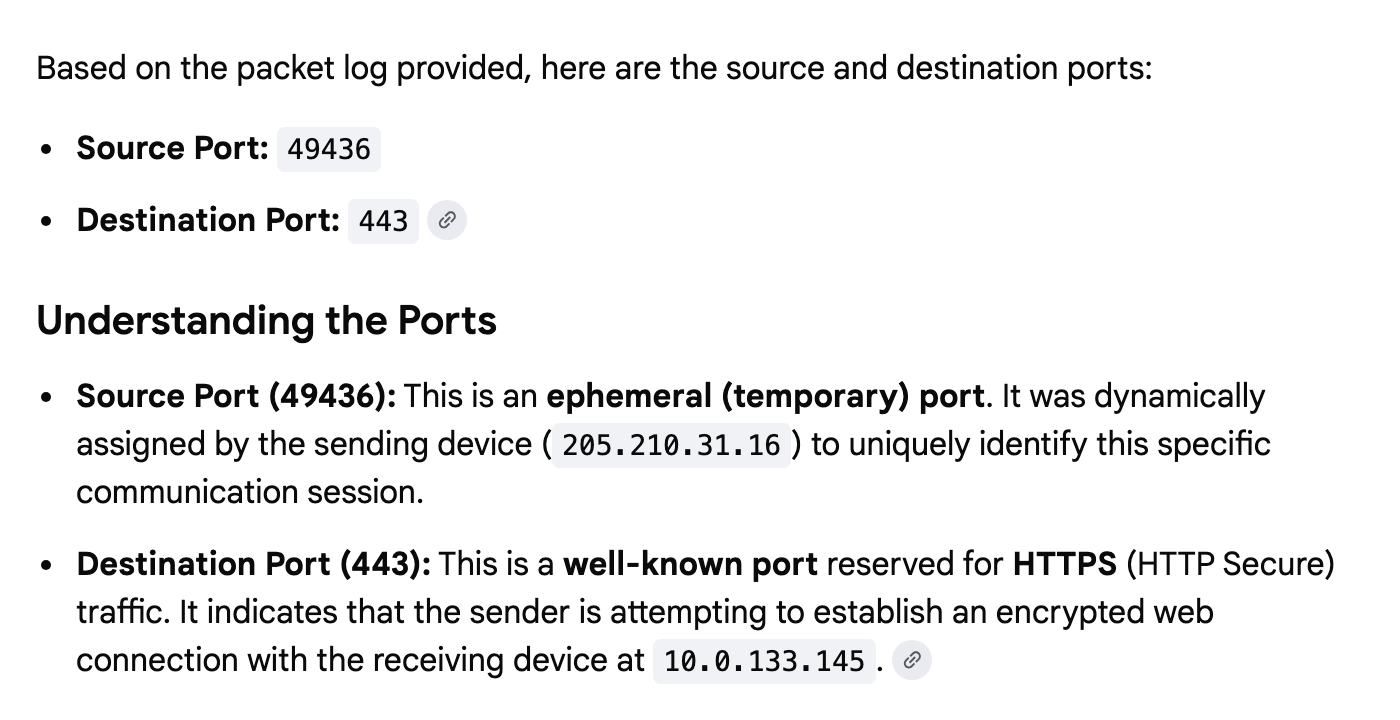
But using this example I can start to understand the packets and then use other tools and math to try to determine what is going on here. I can ask what the source and destination IP addresses are in this packet:
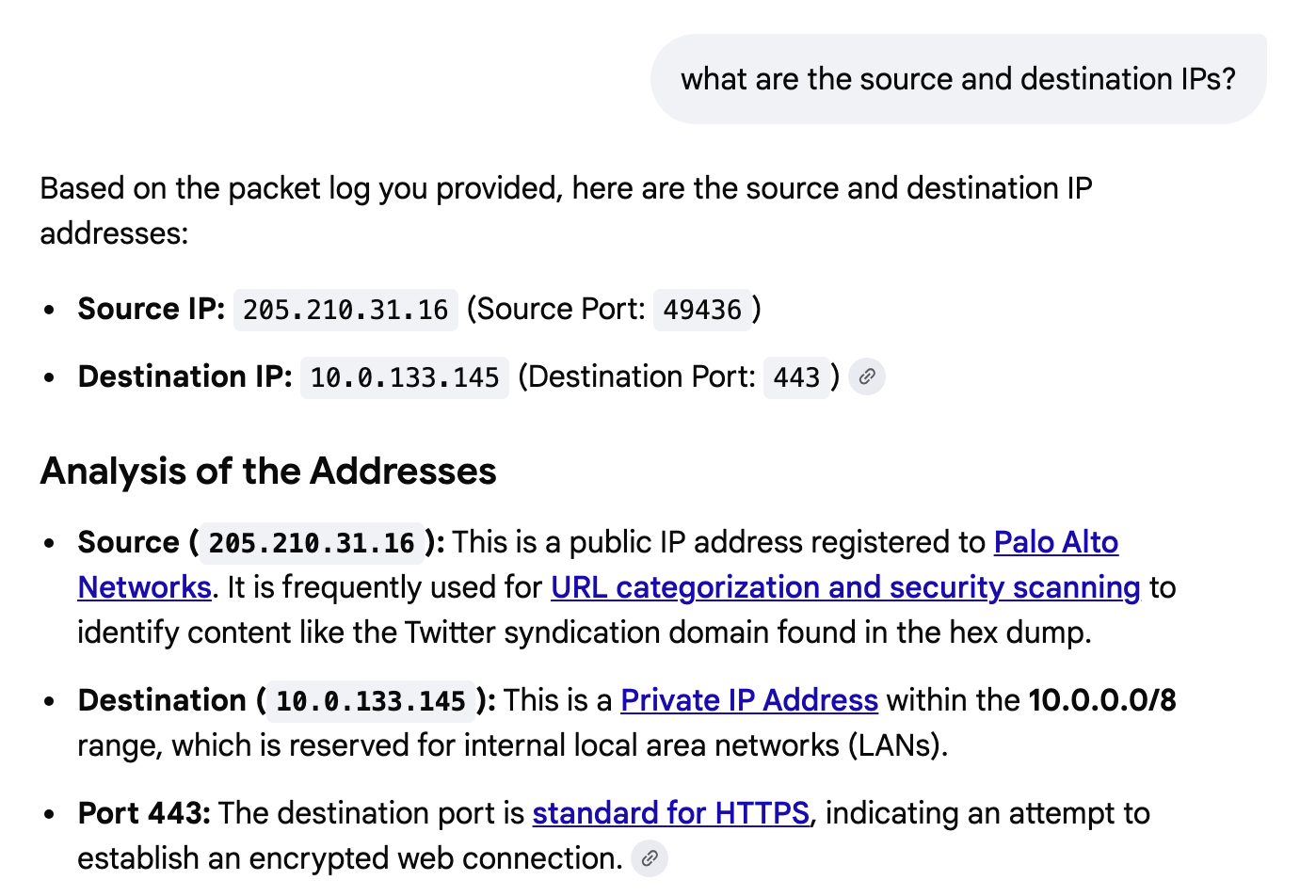
I can ask what parts are used:
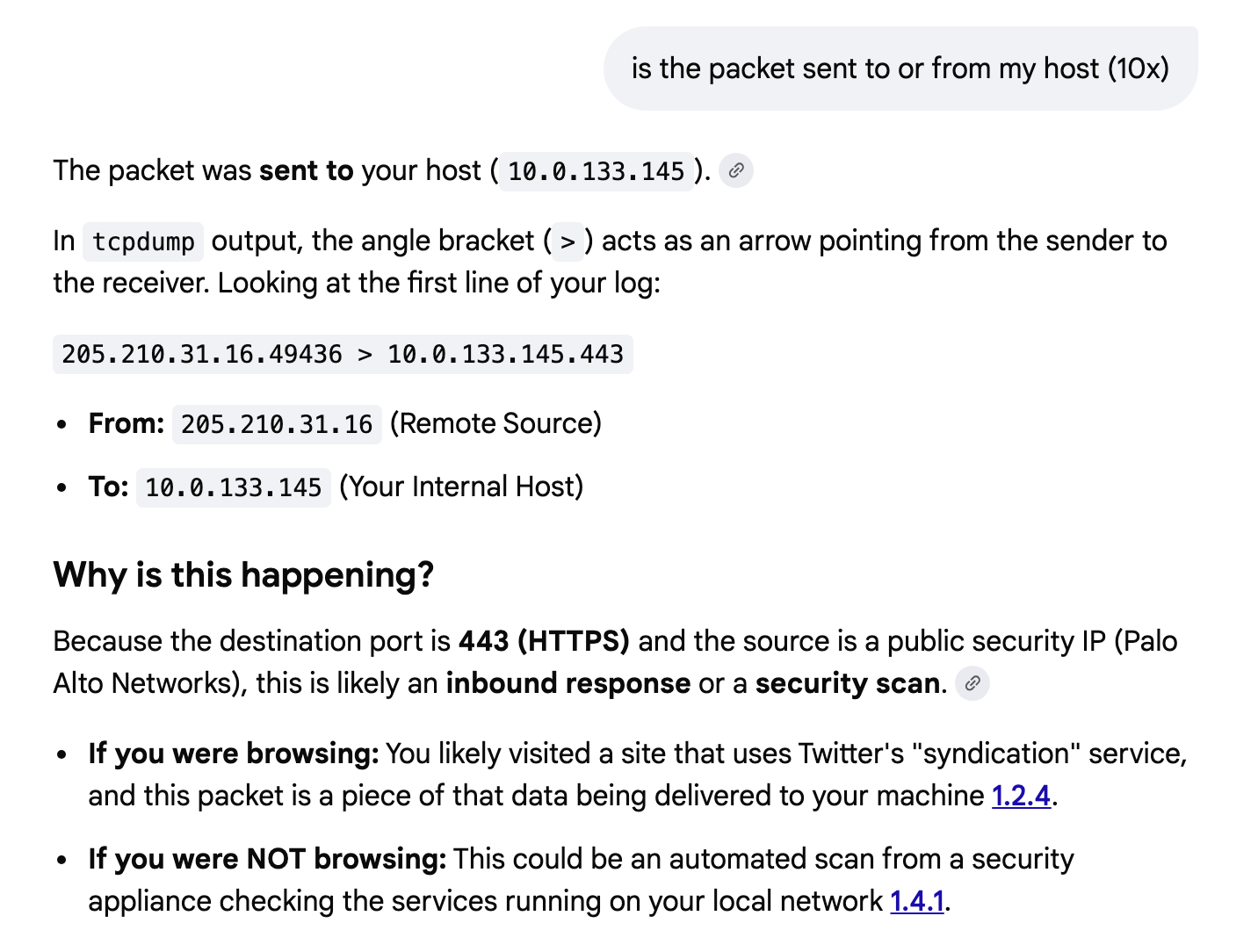
Did my host send or receive the packet?
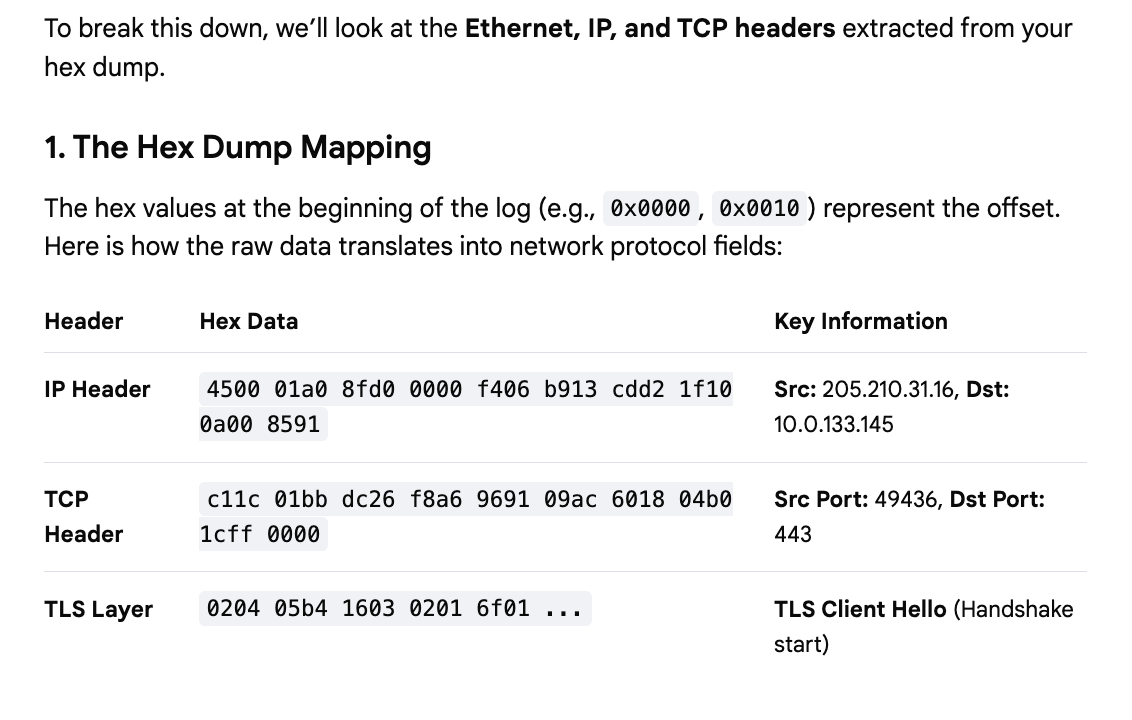
Now this is pretty darn cool. I asked it to show me all the headers. To understand what these are and why they matter you’ll need some fundamentals. Refer to my cybersecurity math posts. But check this out. It can quickly show me the bytes of the different headers:
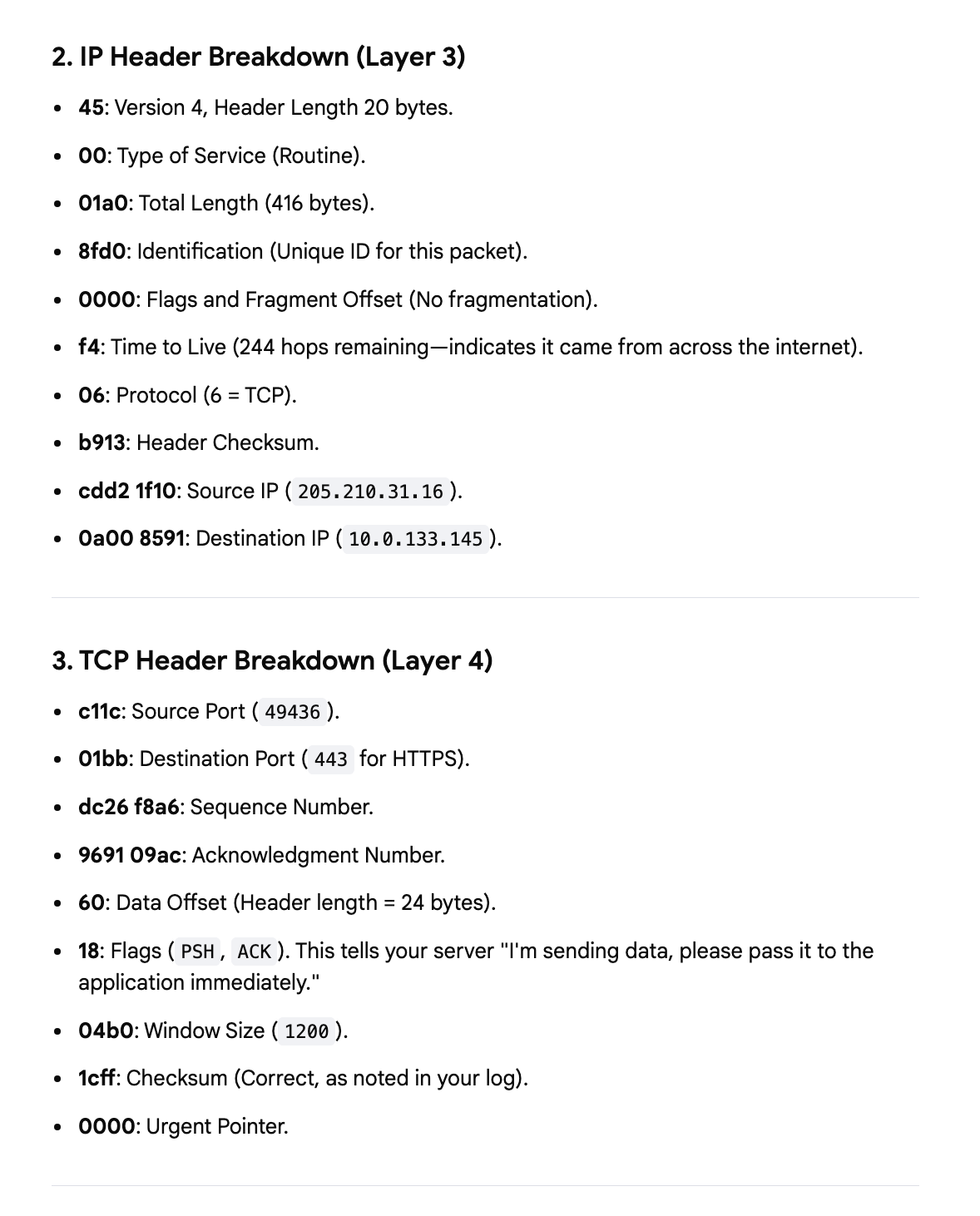
And what is in each of them:
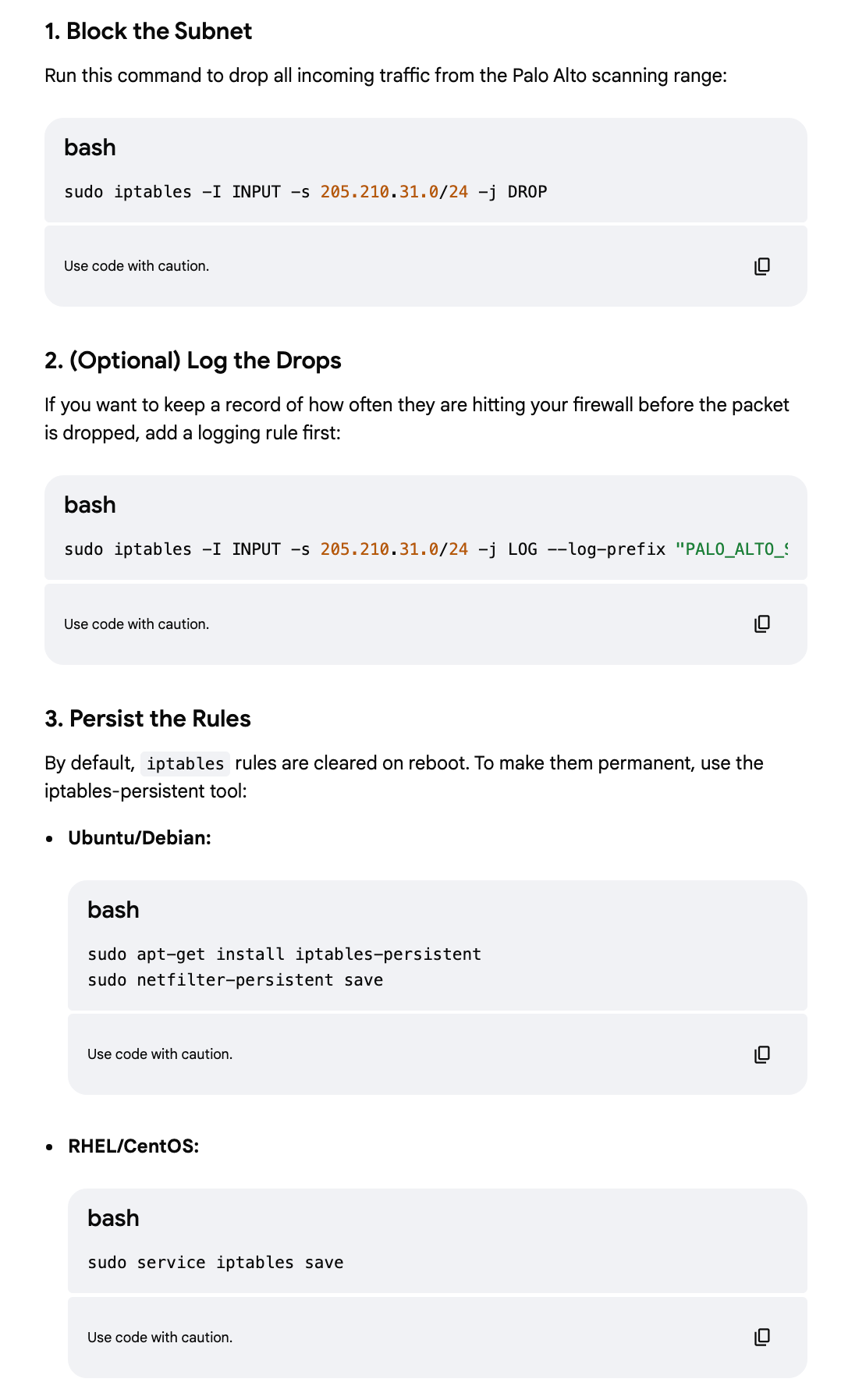
Get firewall rules to block the traffic
You can quickly get firewall rules to block the traffic, but of course you should TEST these rules and not blindly assume they work! Remember to test that they ONLY correctly block what they should block and do not inadvertently block something they should not.
Another caveat: Consider where you are adding the rules to block unwanted traffic.
Adding rules to block pointless scanners may reduce the load on your network appliances as they quickly drop unwanted traffic but it can also be a performance hit if you have a huge rule list. A stateless firewall rule will be best in this case.
On AWS you would use a NACL for a stateless rule and security group rules for stateful rules. But unfortunately you can only add up to 20 inbound and 20 outbound stateless NACL rules.
A WAF costs money whereas NACLs are free. It also operates at the application layer versus the lower IP layer - and I always recommend blocking at the earliest point possible. If all you need to calculate is whether or not to block then use a NACL instead if you can.
These rules are added to your host firewall which means your host has to do some extra processing to block them. Are the rules specific to this host or rules you want network-wide?
Evaluating a noisy scanner
To get to the bottom of what is going on here took many, many variations of prompts. I’ve found that sometimes I have to paste the prompt into an AI engine four times to get it to give a different correct answer. I obviously also don’t bother with spelling most of the time. Finally I got to the bottom of what is going on here and why they are sending this traffic and I think it’s dumb. I’ll tell you why after you see the reason.
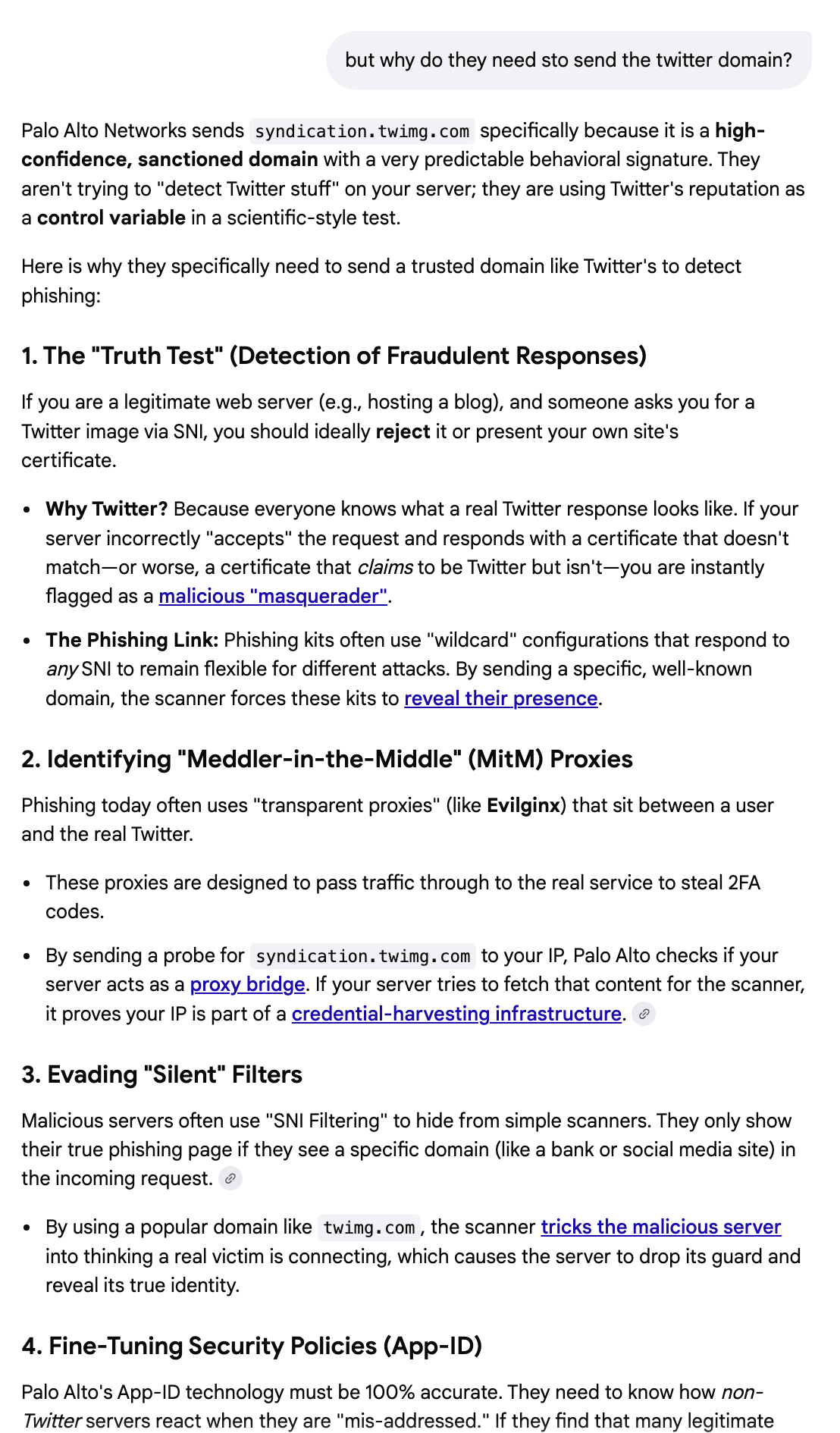
Here’s why I dislike Palo Alto’s approach (sorry friends that work there). It’s annoying. I see an incessant amount of traffic from scanners like this hitting my home networking equipment and all my cloud servers. It’s creating a bunch of garbage noise in my log that makes it harder to see real threats. It’s an unnecessary drag on the ENTIRE INTERNET. And Palo Alto is not the only one doing it. So there’s tons and tons of useless noise that has nothing to do with me because I NEVER SENT A PACKET TO ANYONE WHO USES PALO ALTO FROM THIS HOST AND NEVER WILL. I also would never expect anyone at Palo Alto to be connecting with anything I am hosting except my website maybe.
So if I’m not bothering you, why are you bothering me?
Mind your own business, please.
A better approach would be to only reach out to a host if your customers actually made a request to that host. If they do then scan it first before they can access it or something like that. But don’t repeatedly and incessantly scan the entire Internet. There are so many people doing that in the name of security that you can’t see what the actual traffic hitting your hosts is amongst all the noise. It also takes up network bandwidth and adds unnecessary load and cloud systems are paying to support this extra useless traffic. So basically you’re increasing the cost for everyone on the internet.
That’s my take anyway. I think there must be a better way and a more targeted approach that doesn’t result in so much network traffic spam. I personally block as much of this as I can and I presume that attackers also simply block all these scanners and still go undetected, so I don’t think it’s the most intelligent way of figuring out which hosts are malicious or not but I suppose it can be helpful for the script kiddie attackers.
https://medium.com/cloud-security/how-script-kiddies-use-open-source-code-965d25742d3
Well maybe that gave you some ideas on how you can better and more quickly analyze packets on your network with an AI chatbot - with the caveats that they can be wrong so you still need to know something about dissecting packets and don’t paste packets to untrusted sources. Also beware of packets that may result in AI prompt injection. Overall this is so much faster than any other way of getting to the bottom of what’s in a packet and I think it’s going to be a real game changer.
Subscribe for more posts like this on Security Insight.
—Teri Radichel