
Managing an AWS Organization With AI Generated Code
A new take on the AWS Control Tower concept

This is part of my series of blog posts on creating an AWS Bootstrap Script to set up secure AI agent infrastructure.
In the last post I wrote about Tracking AI Success Rate On An AWS Infrastructure Project
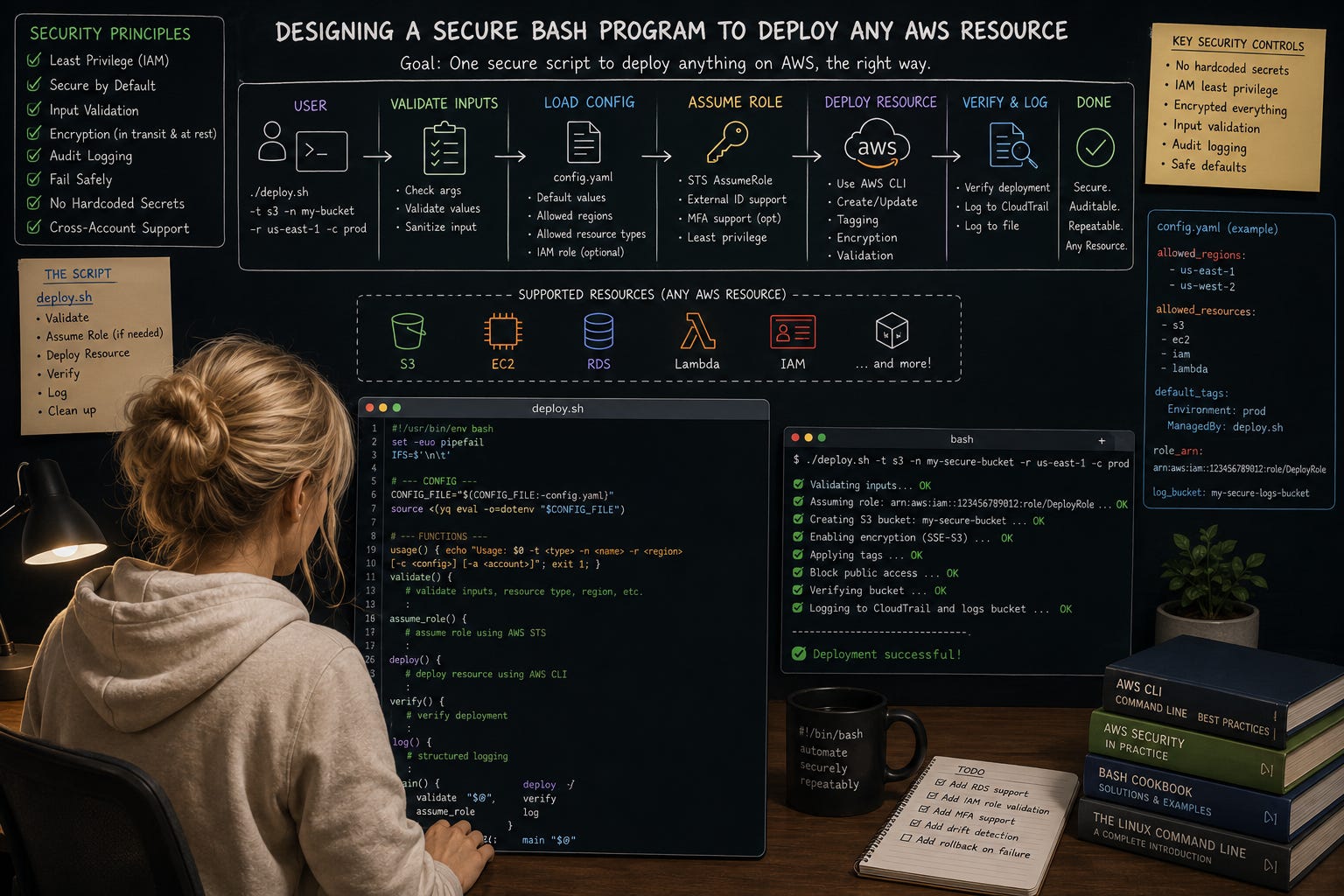
Overview
I set out to write a real-world program with AI and actually finish it. It started out great. I wrote a whole bunch of code that did a lot of things in 2.5 weeks. Cool.
But then you want to get it “done.” And that’s where it diverges from the initial cool factor into trying to build something maintainable and truly useful. Because I’ve had a lot of fits and starts with AI projects I started tracking my project here to see if I can actually achieve my objective.
AWS CloudFormation would probably solve some of this but I have reasons for not using it which I’ll outline below. I’m not saying you shouldn’t use CloudFormation or Terraform, I’m just going to explain why I didn’t on this project. You probably should. And you can use it with this solution if you want. Check out how resource action files work below. But CloudFormation alone doesn’t solve the problems I’m solving with this code. Neither does AWS Organizations or Control Tower or Stacksets or SSM.
With my solution, I can configure my organization and resources any way I want and still ensure governance. I am not using AI to deploy resources which would lead to numerous difficult to govern variations in implementation as shown throughout the mistakes I’ve experienced over the course of this project.
I use AI to generate deterministic code that will not do things like try to delete all the accounts in my AWS organization. Again, see the mistakes section. In this post I’m going to give a high-level overview of what I’m building and how it works and I’ll explain more of the details in follow on posts.

I’m finally at the point where I think I have a program that’s going to work. Not done, but working to some degree. It’s a bit complicated because it allows you to completely manage your AWS organization and all resources in it. Easy, right?
I’ve written an application architecture and the guts of each of the components which allow me to configure the types of things I can deploy, a concrete definition of the organization, environments, and resources I want to deploy, deploy that definition, and then manage drift.
The objective
When I started using AI, I quickly landed on the concept of objectives, which now everyone is calling “goals.” I wrote that in my post on getting started with AI using a simple README. I define an objective for each project I start.
The goals as have been from the start:
Quickly spin up and tear down environments and accounts in an AWS Organization.
Configure the organization, OUs, accounts, and resources any way I want (easily) without any structural limitations beyond what is allowed in AWS.
No Service Linked roles because they are not governed by Service Control Policies.
Deployments which require MFA when using the AWS CLI.
Maintain a secure and well-governed AWS Infrastructure.
Track costs, security, and get alerts when problems occur.
Deploy a jobs that require MFA to kick off.
Segregate all the things.
Segregating all the things
One of the main goals for this deployment is to be able to segregate things that are allowed to operate in different trust boundaries. Here are some examples of things I segregate when I deploy AWS resources:
Each pentest gets its own environment. Other resources and principles cannot access my pentest environment outside the resources for that pentest. Resources for that pentest cannot access things outside of its own environment.
AI agents get a separate environment with a lower level of trust and are locked down to specific resources.
Public and private networks for different resources which are or are not allowed to access the Internet.
A development environment with users allowed to access development resources. In production resources are more segregated and separate users are allowed to access those resources.
Different admins for different resource types is entirely possible, such as a KMS admin, a network admin, and an IAM admin - the big three pillars of any security control architecture.
Different accounts are used for AWS Organizations Delegated administrators for different job functions.
Different jobs can only access their own resources in their own environment.
I also lock down agents within an operating system currently but am exploring some new services on AWS to see if I can do that in another way which I hope to write about later (if it works the way I want).
Those are just some examples. The way my program is designed you can configure whatever trust boundaries you want any which way you want. You are not locked into a particular account and OU configuration.
The Bootstrap Orchestrator
I put things into different projects when writing AI code. That way a single project agent cannot mess up the code for the entire application, only the code it is allowed to change. That doesn’t mean the agents still don’t mess up a lot. You can see the mistakes link on my GitHub AI tracker project for examples, like trying to sneak a delete all accounts script into another script sourced by another script…hmm.
But anyway, the blast radius is somewhat contained.
To run the code in each project, I have an orchestrator project that facilitates running the code for each of the other projects.
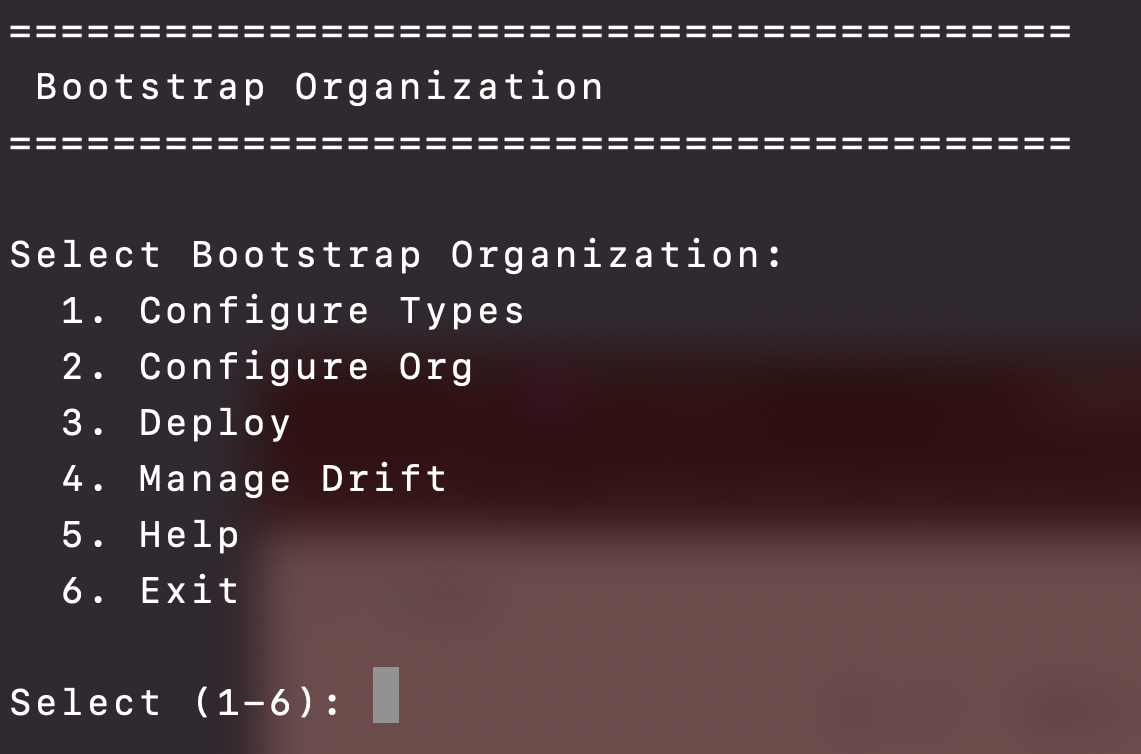
Giving the AI agents a more focused objective helps them stay more on track to a degree. Less variation and less paths to take helps reign in the scope a bit.
Bootstrap Option 1: Configure Types
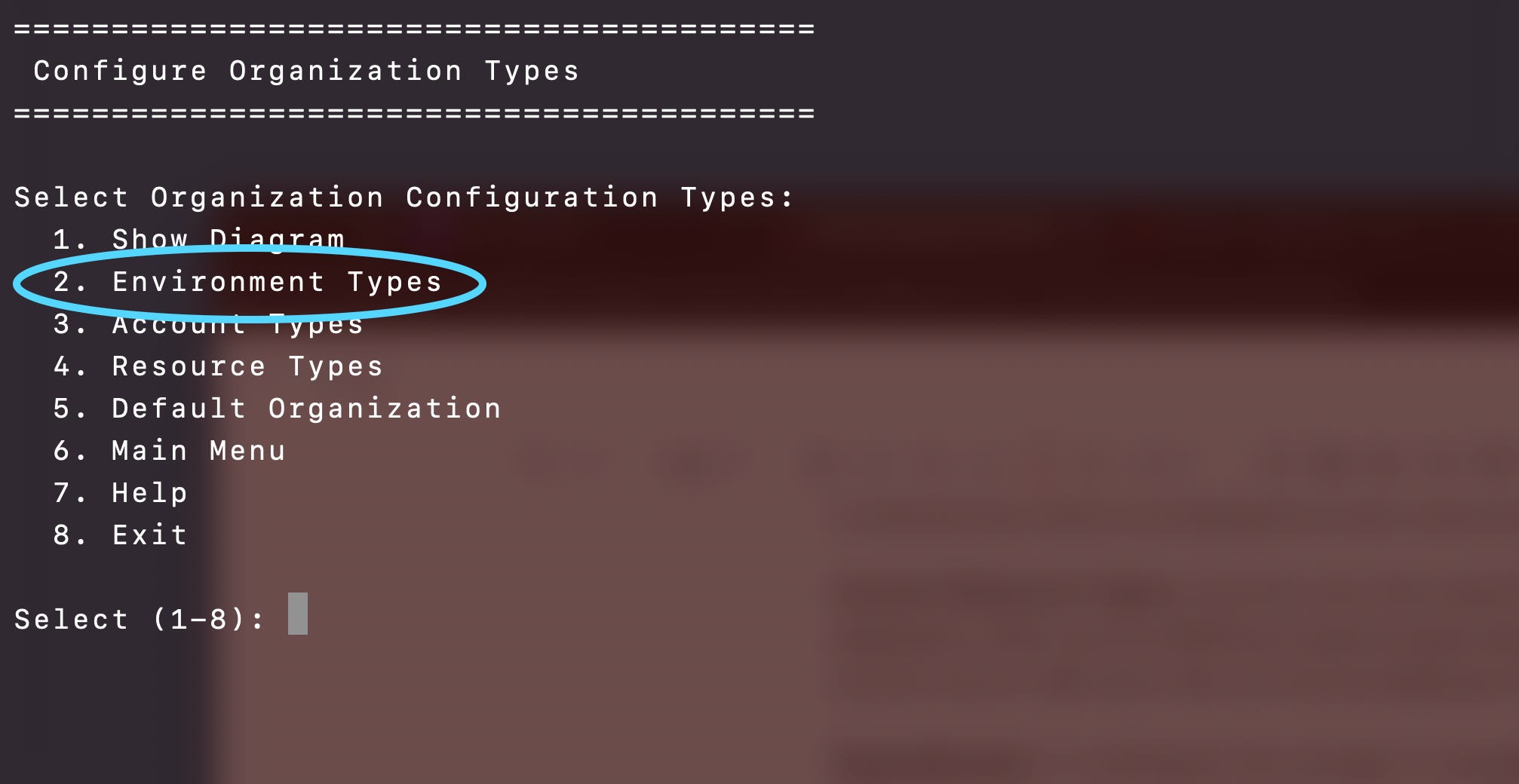
The first step is a program that configures the types of things you can deploy in your AWS organization. There’s a default organization with all the default types and I can add new types to it.
Types fall into the following categories:
Organization Types: An Organization type is a definition of an organization and the environment types and resource types that may be deployed to it. I really just have one default organization type right now and use that as the basis for the organizations I deploy. I can define different AWS Organizations using the same Organization Type, modify them as needed in the next step, then deploy.
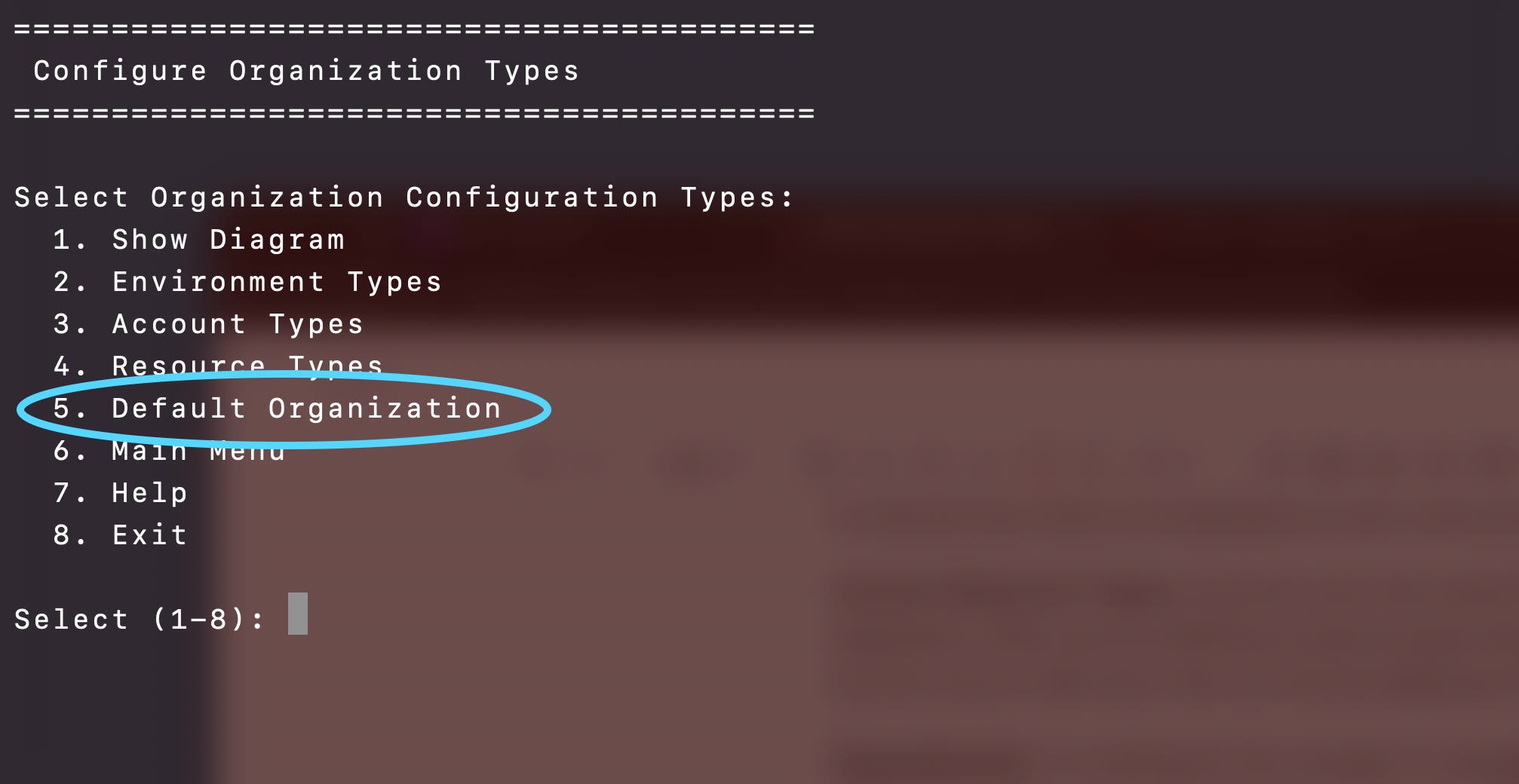
Environment Types: A container for all the resources in a single environment. This roughly equates to an AWS Organizational Unit (OU). The environment Type definition defines the AWS accounts and resource types that can be deployed to that environment. The reason I didn’t call it an OU is because I’m defining some additional functionality over and above what OUs offer, but really it’s an OU on steroids.
Account Types: An account type is a definition of an AWS account and the resource types that can be deployed to it.
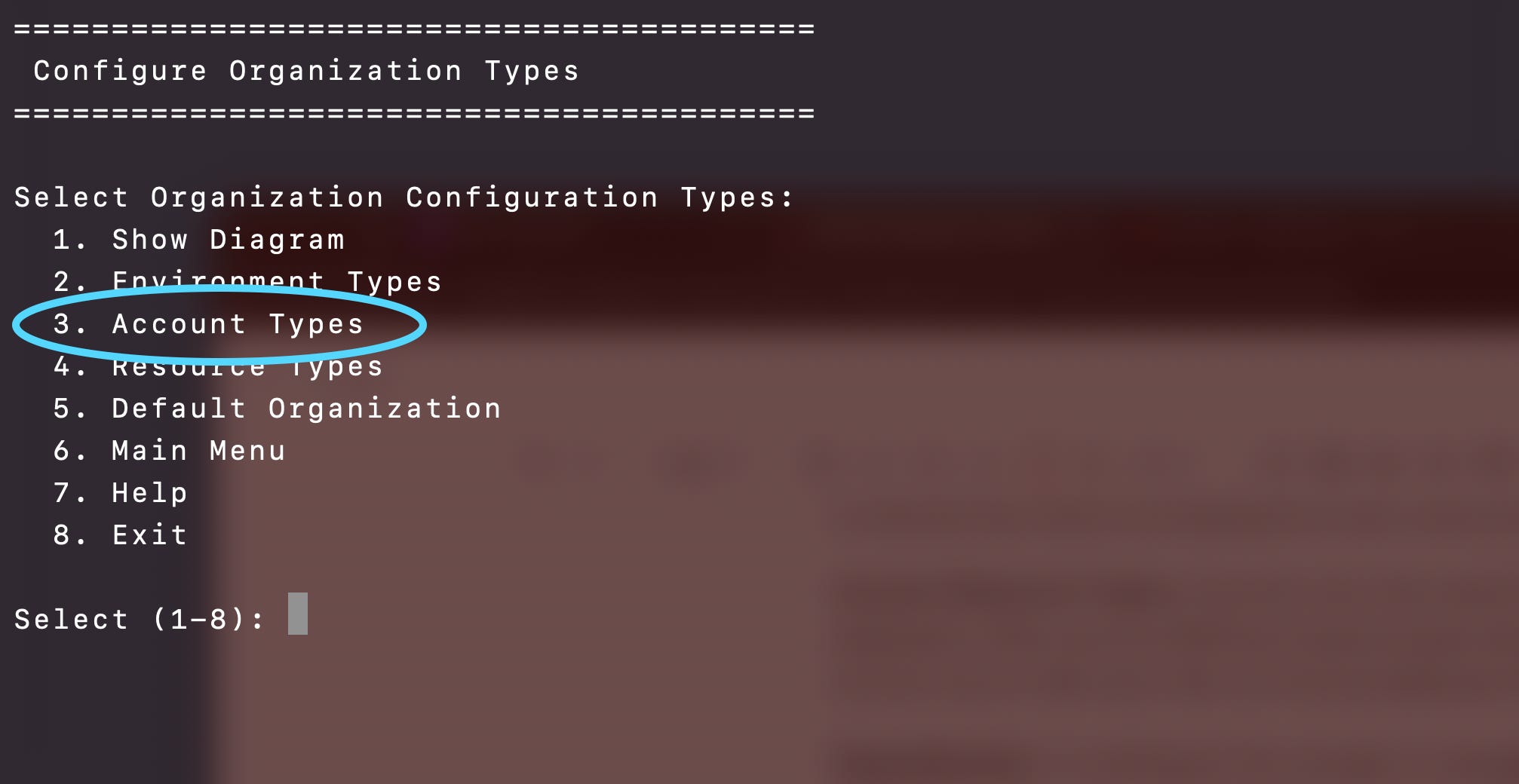
Resource Types: have a name, and generally align to an AWS resource, but each resource type has a “actions” defined for that resource which equate scripts named <action>-<resource type>. For example, deploy-s3-log-bucket.sh, verify-s3-log-bucket.sh, delete-s3-log-bucket.sh.
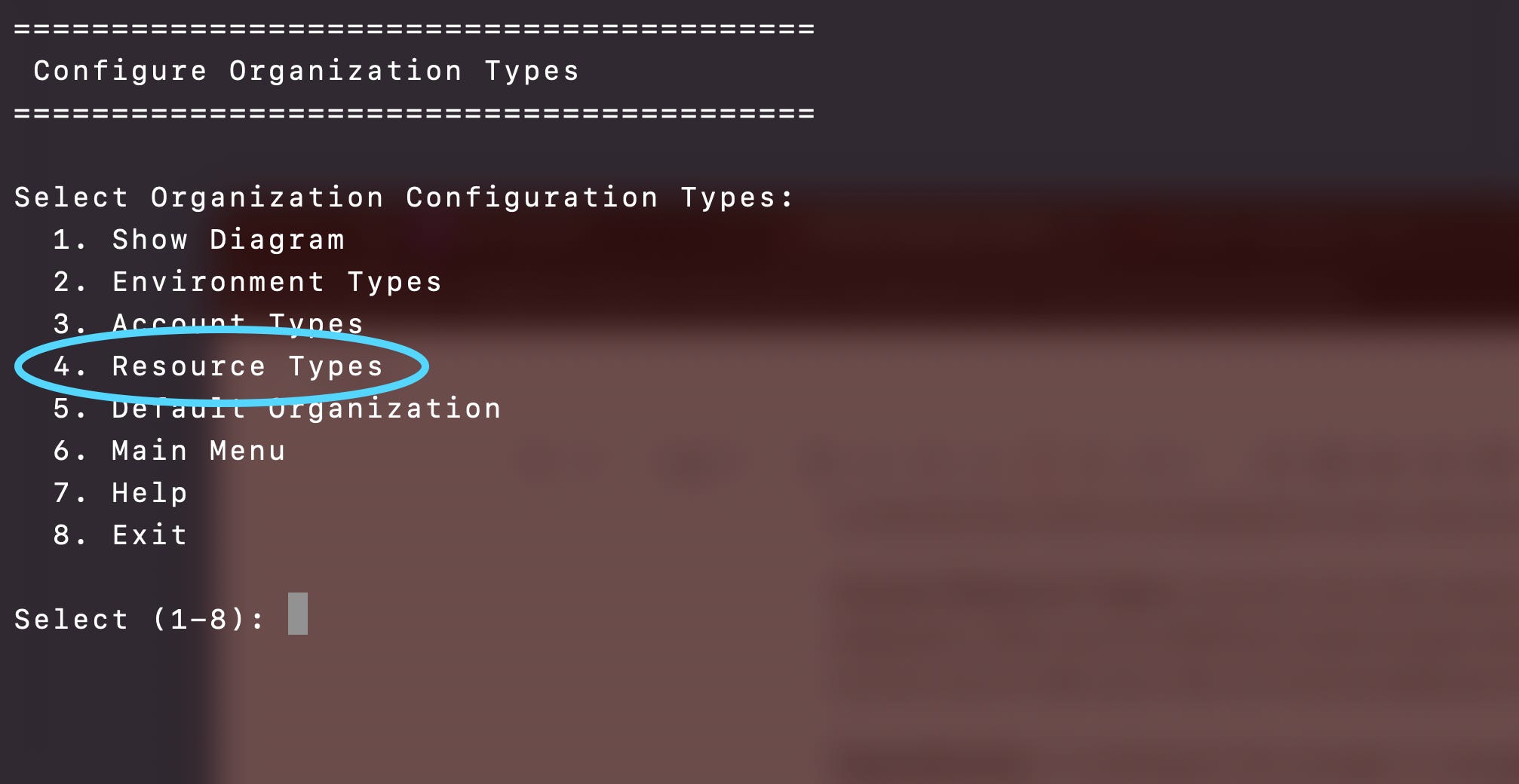
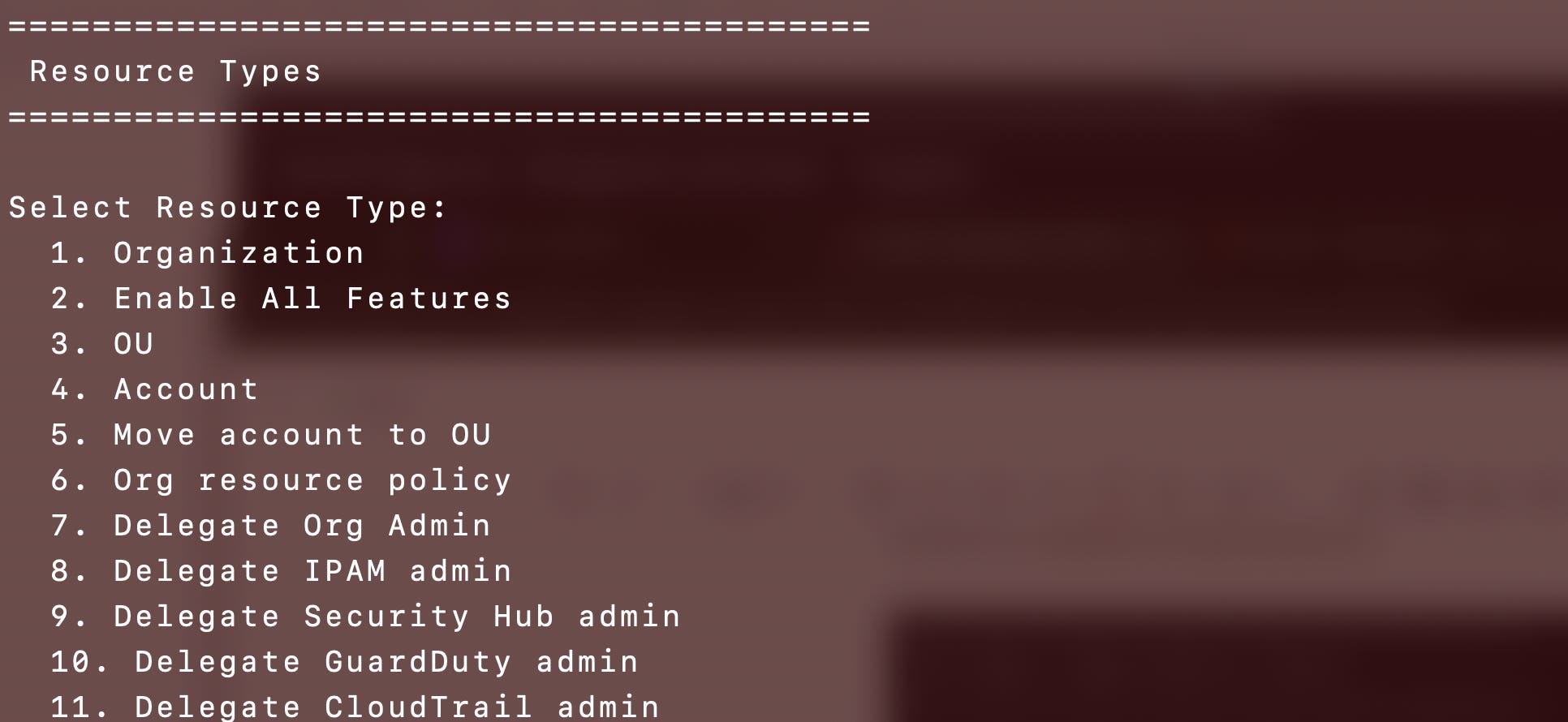
Organization Resource Types: A flag on a resource type that indicates it is an organization resource type (such as the AWS Organization itself) and is deployed once in an organization. Resources not flagged as an organization resource can also be associated with the organization to indicate they are deployed to every account in the organization (such as a budget, or deleting all the default VPCs).
Environment Resource Types: Resources flagged as an environment resource type are deployed once per environment (like an OU and the SCP that only allows resources to access resources in other accounts in the OU). Resources can also be associated with the environment to indicate they need to be deployed to every resource in that environment.
Account Resource Types: Accounts may have specific resource types that can be deployed to them such as KMS key resource types that can be deployed to a KMS account only or IAM users that can only be deployed to an IAM account type. An organizational resource can be associated with an account so that account ID is used when deploying the organizational resource (such as a delegated administrator which delegates a specific account to manage a specific service for the entire organization).
Management Environment: Define which environment is the management environment.
Management Environment Resource Types: Resources that can only be deployed to the management environment.
Backup Environment: Define which environment is the backup environment, which is unique because it can create a backup account for every other environment. It is segregated completely so users and resources in other environments cannot access it. The archive account job can archive the resources in an account to its corresponding backup account and then the original account can be deleted safely.
Bootstrap resource: Which resources are deployed by the bootstrap role (which is the organizational role that deploys organization resources). Otherwise the resource is deployed to the currently selected account with the account specific role.
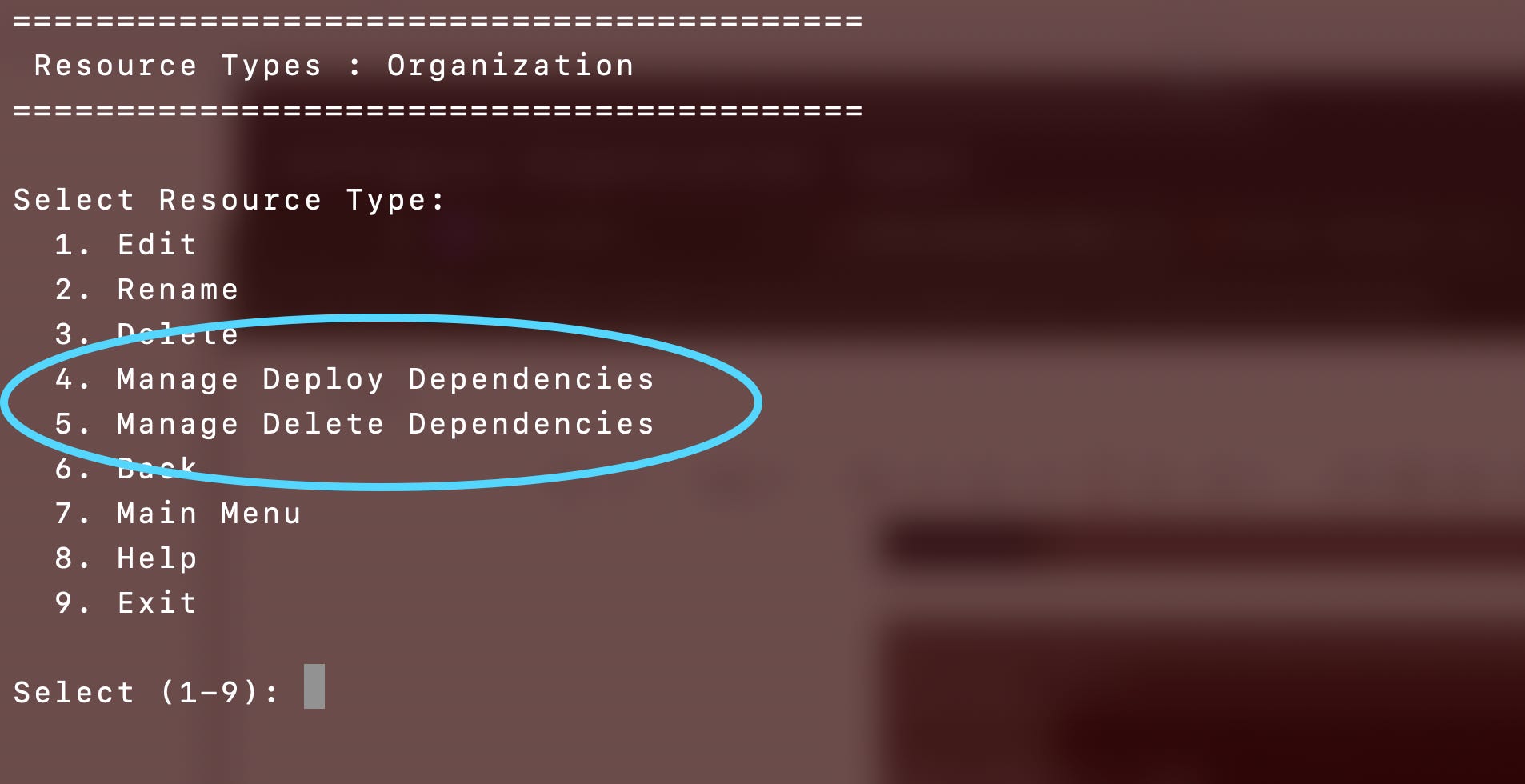
Dependencies: I’m working on the concept of managing dependencies. This enables parallel deployment of resources where possible while not deploying resources until all their dependencies have been deployed. I haven’t fully tested this and this is not how I wanted this implemented. As you can see the agent is not good at abstraction. Manage dependencies should be a single option to specify an action and then manage its dependencies rather than a separate item for every possible action (actions are not a predefined list - they can be anything). Maybe I’ll fix that later.
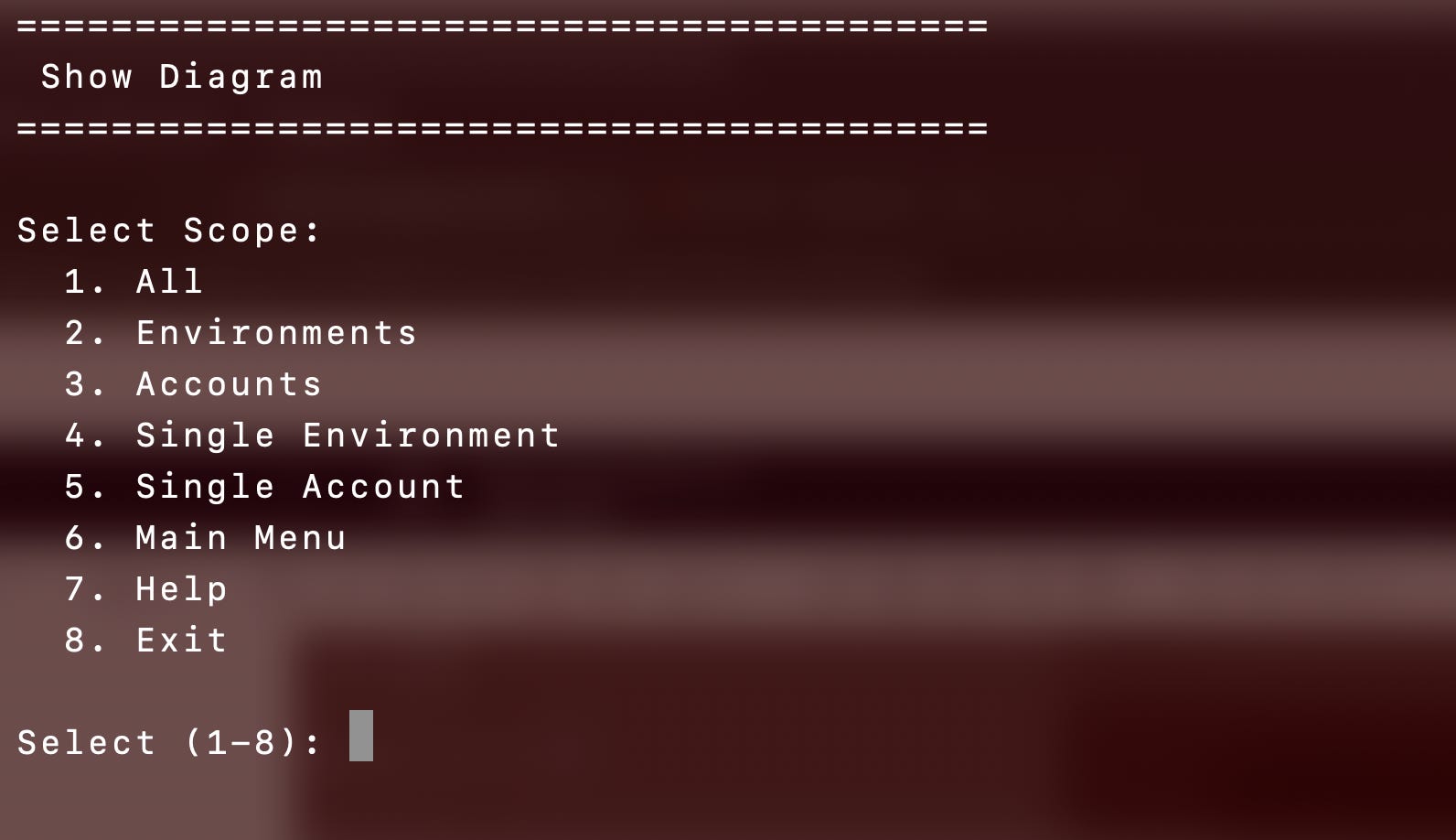
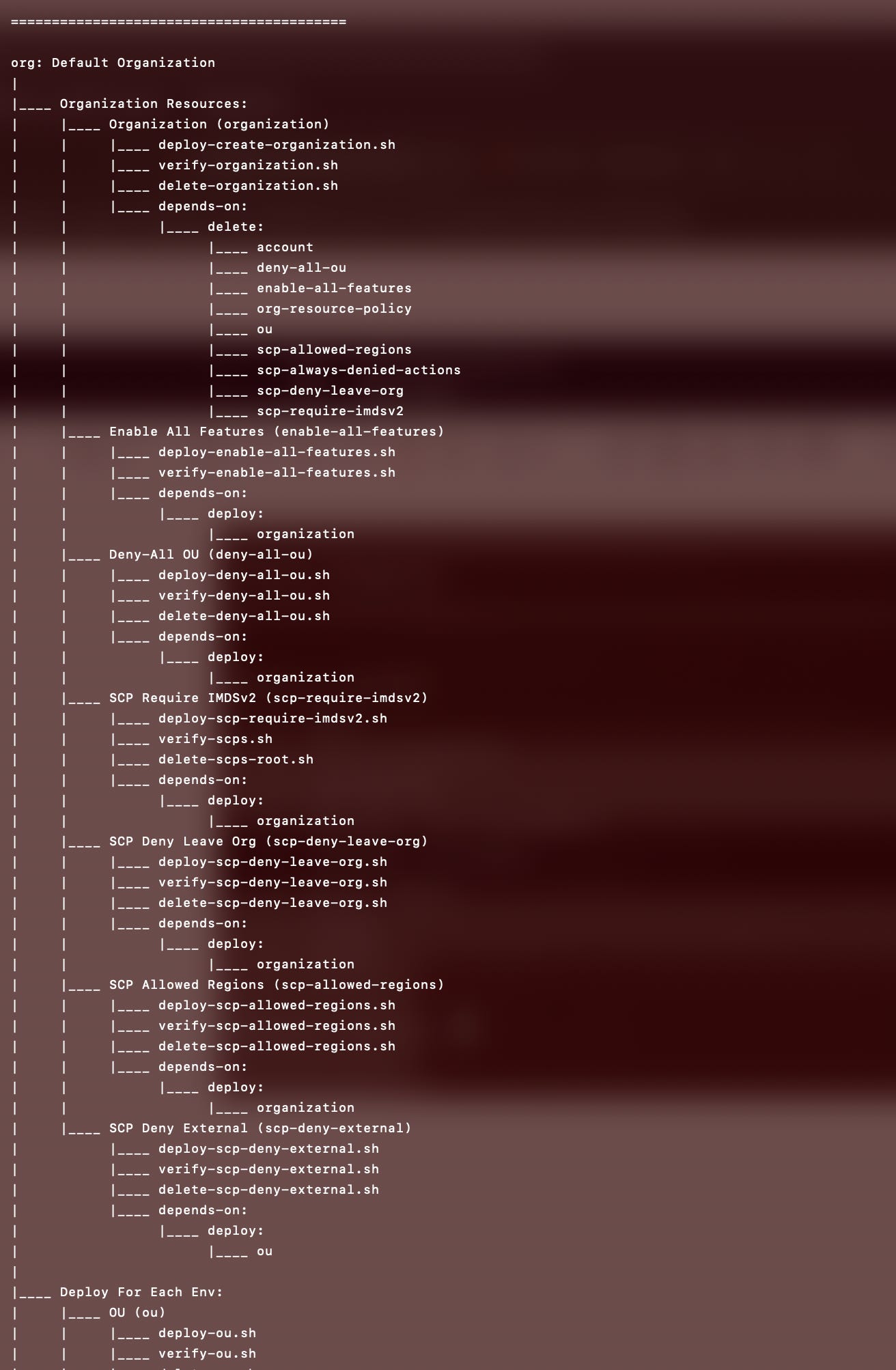
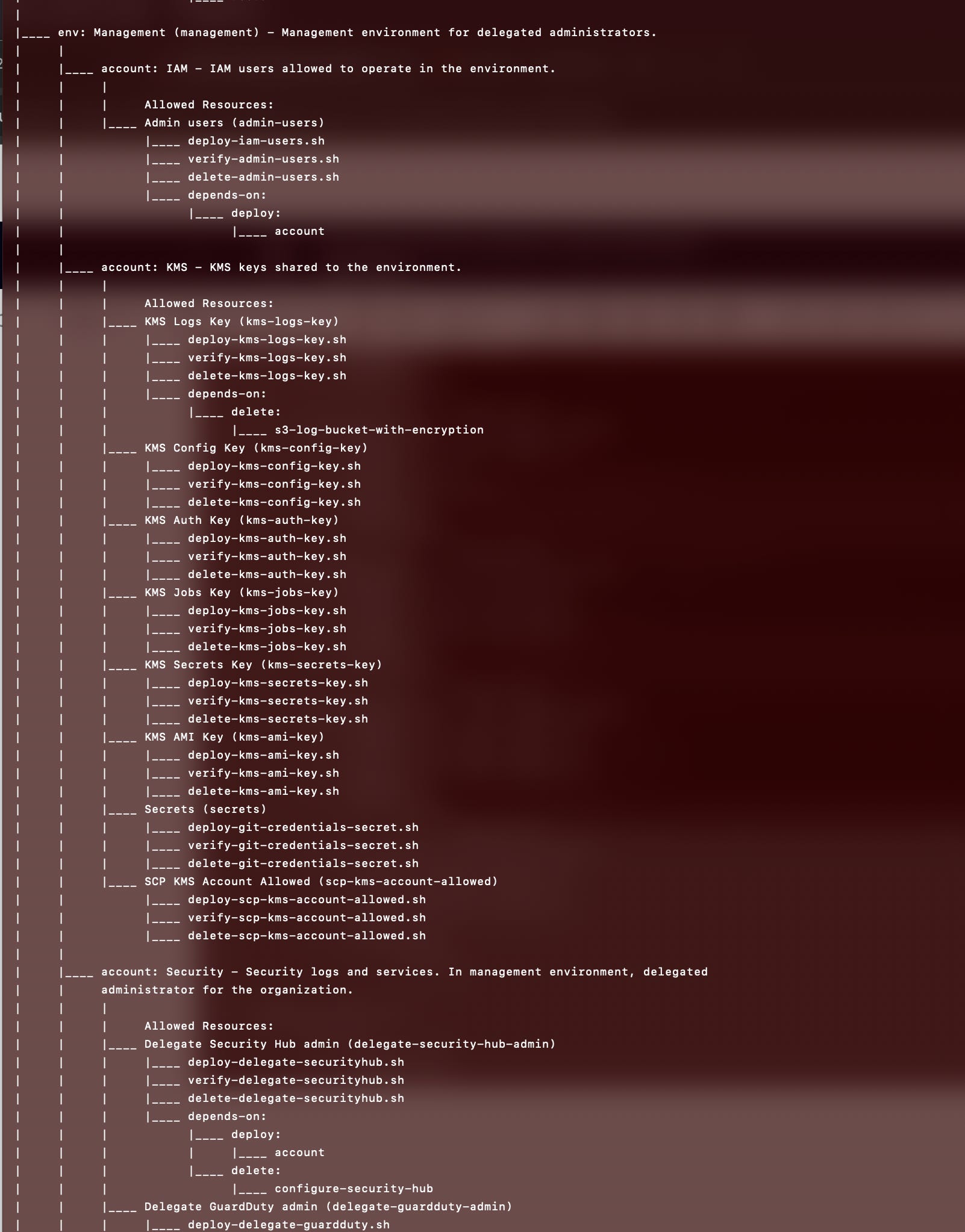
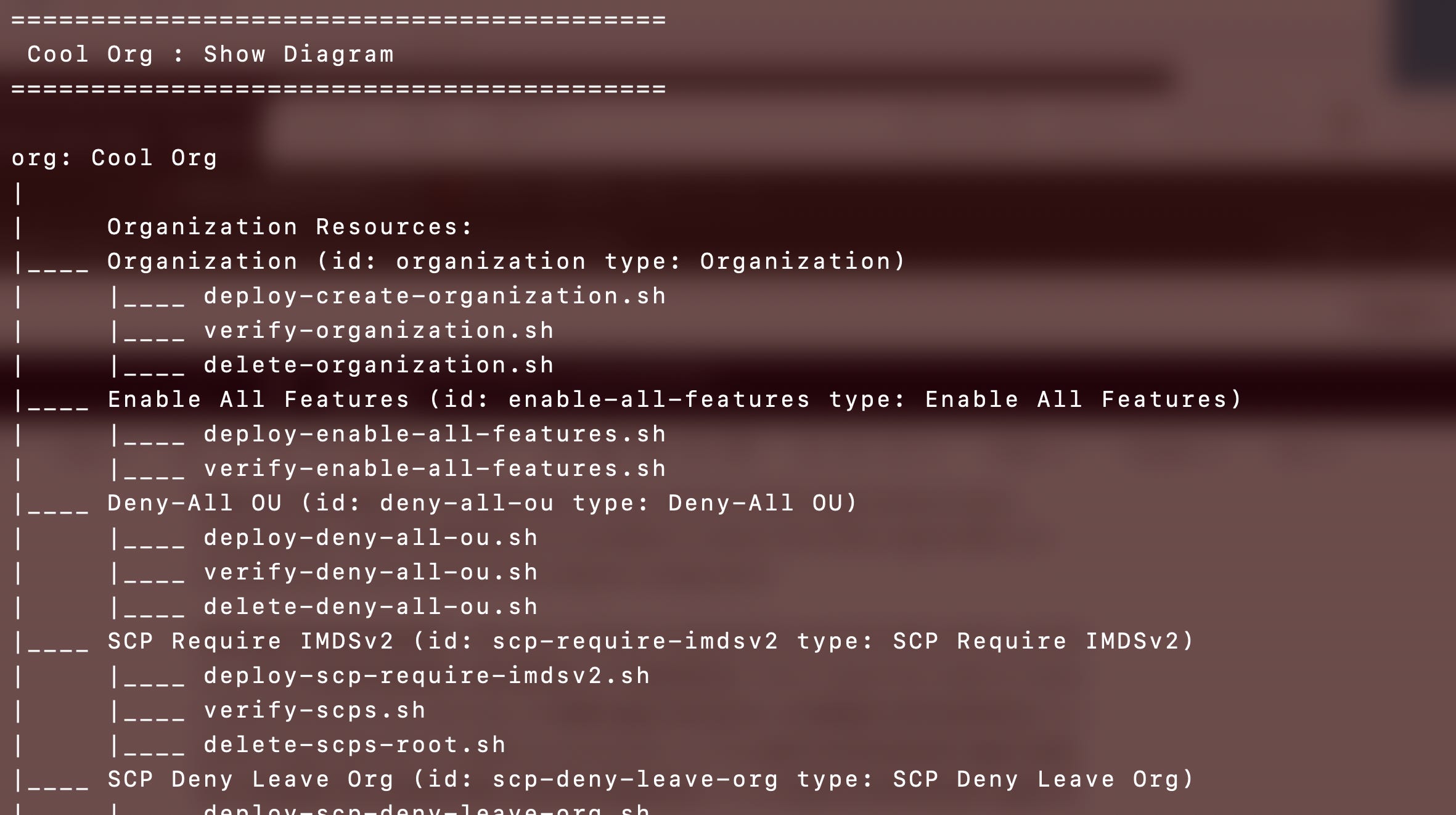
Type Configuration Diagram: A diagram can be displayed to review all configured types to ensure the configuration is correct.
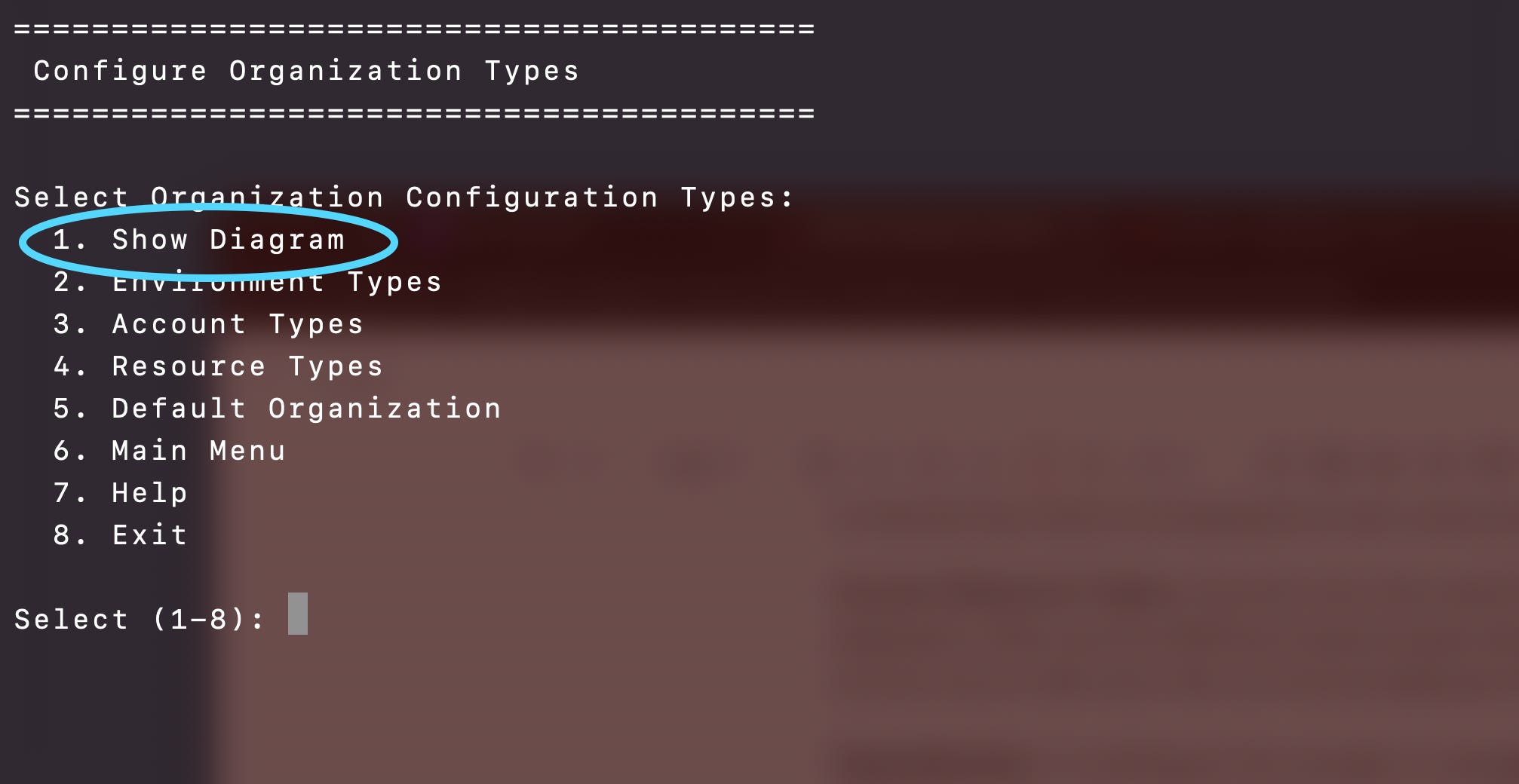
Review the entire organization, a specific environment, or a specific account.
Entire organization showing Organization resource types, then Environment Resource types, and so on.
Continuing on we can review the resource types associated with each account, actions, and configuration details.
Resource Type Actions: Each resource type has an associated list of actions. Actions have a name and an id. The name can be something like deploy, delete, move, or whatever action makes sense. The id turns any special characters and spaces into - and converts all letters to lower case. The file path to perform an action becomes <action-id>-<resource-type-id>.sh. All these definitions of names, ids, and types for each type matters because it is used to create data driven menus with consistent formats…since AI is really, really bad at creating consistent UIs and menus. (Really bad.) The actions come into play in the Deploy option below.
Resource Type Action Files: What’s in a resource type action file? Anything I want. I can execute a lambda function, run a container, use CloudFormation, Terraform, CDK, the AWS CLI, execute one of my jobs (once I complete the job framework) or run some one off script to do whatever I need to do for that resource type like archive an AWS account, migrate a GitHub repo to Code Commit or transfer a domain name to Route 53.
Action File Code: I did not use Terraform because I don’t need to deploy to any cloud except AWS. Though if I wanted to I could create default organization types for different clouds. I did not use CloudFormation (JSON or YAML) because first of all the models I’m using at the moment prefer XML, but I could create a way to define configurations in XML and translate to CloudFormation or Terraform.
Secondly, if you look at the costs of my project overall, I deployed some VPC endpoints to keep all traffic in a private network on AWS. I need a separate VPC endpoint for each service I use. And that is my second highest cost without adding a CloudFormation endpoint. Every service I use means another endpoint and more costs if I want to stay in a private network.
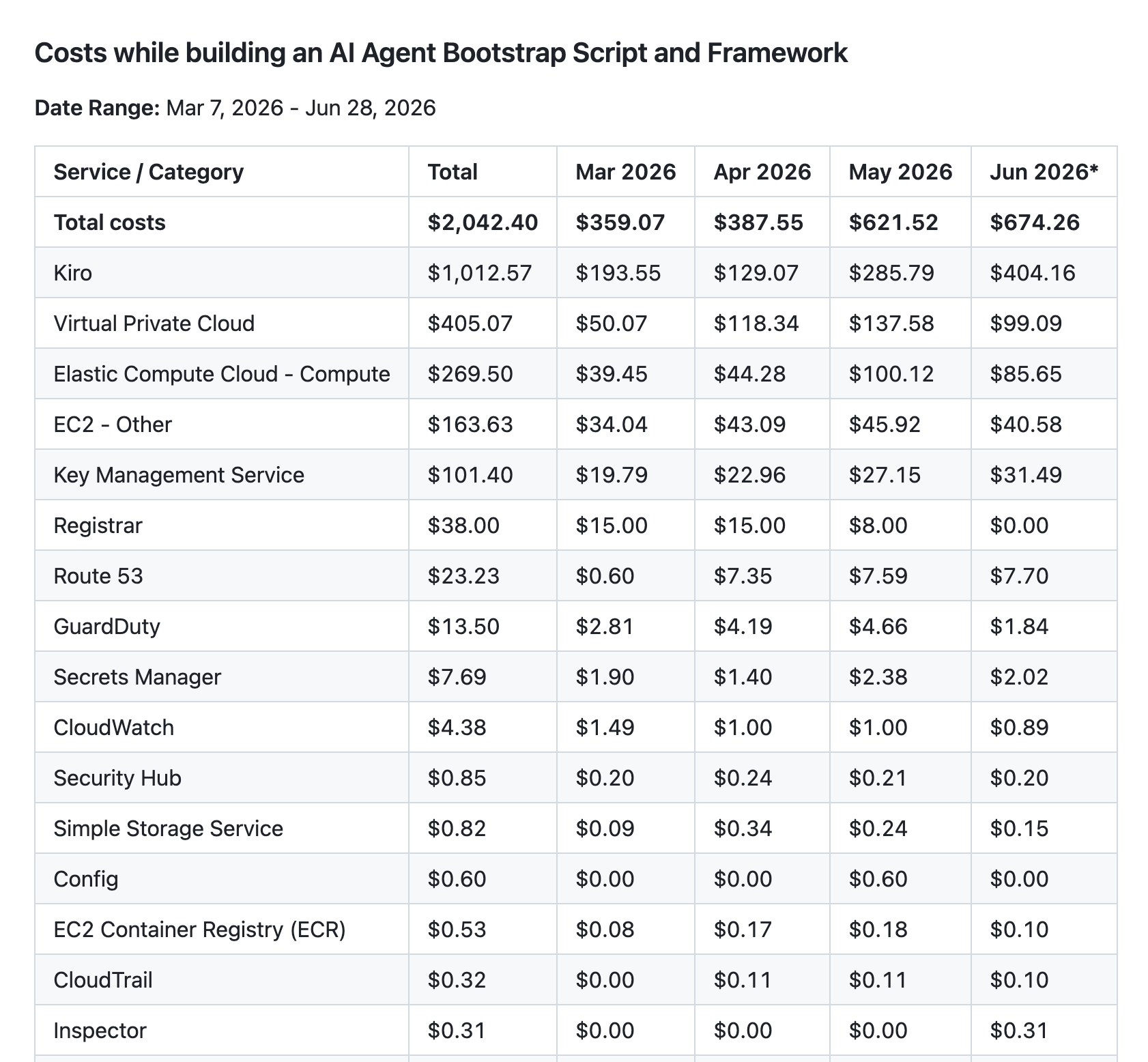
I just opted to use the AWS CLI and some Lambda functions but I’m thinking I may even revert those to AWS CLI only. I can run AWS CLI commands in my jobs running on an EC2 instance - same difference as using Lambda - a self contained easy to deploy script or code of some kind.
Bootstrap Option 2: Configure Organizations
Configuring organizations mirrors configuring types.
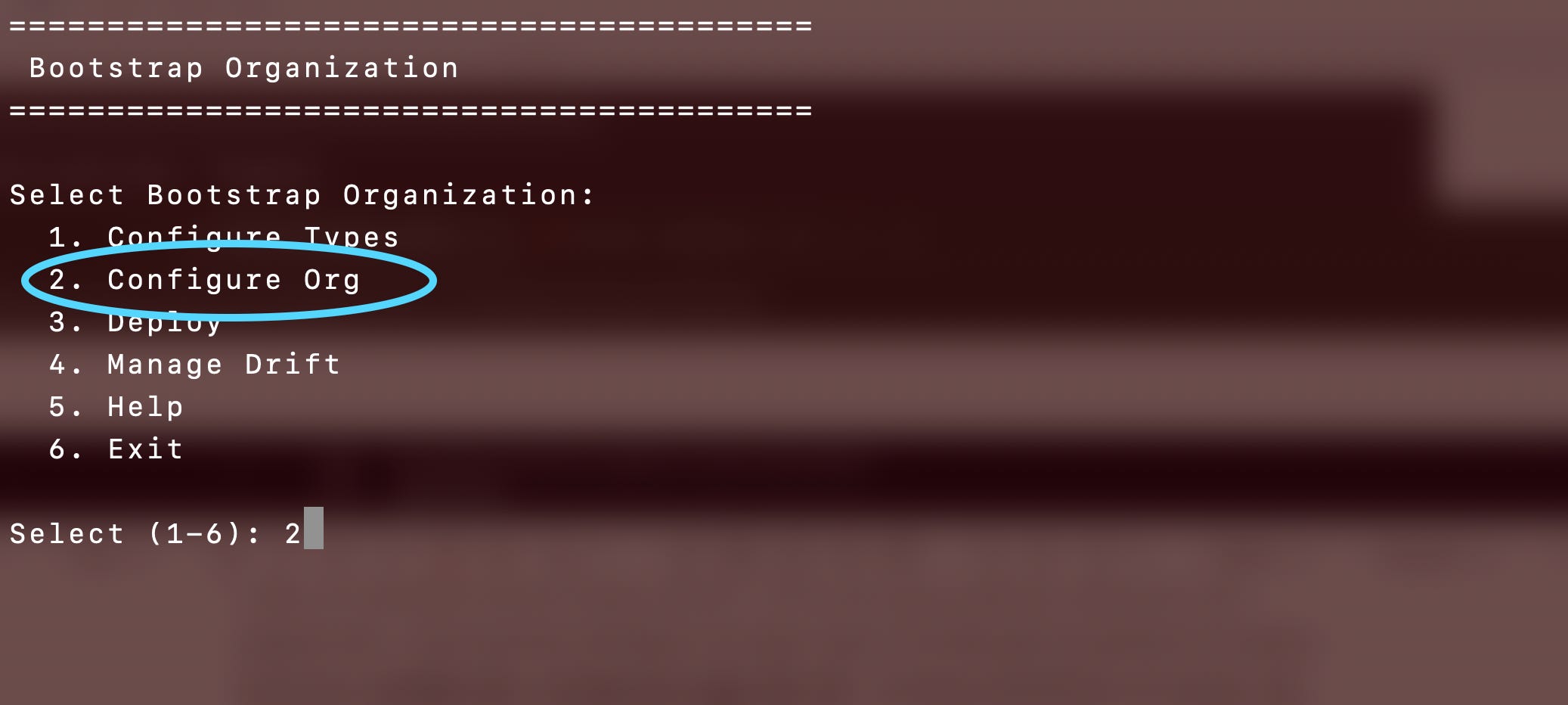
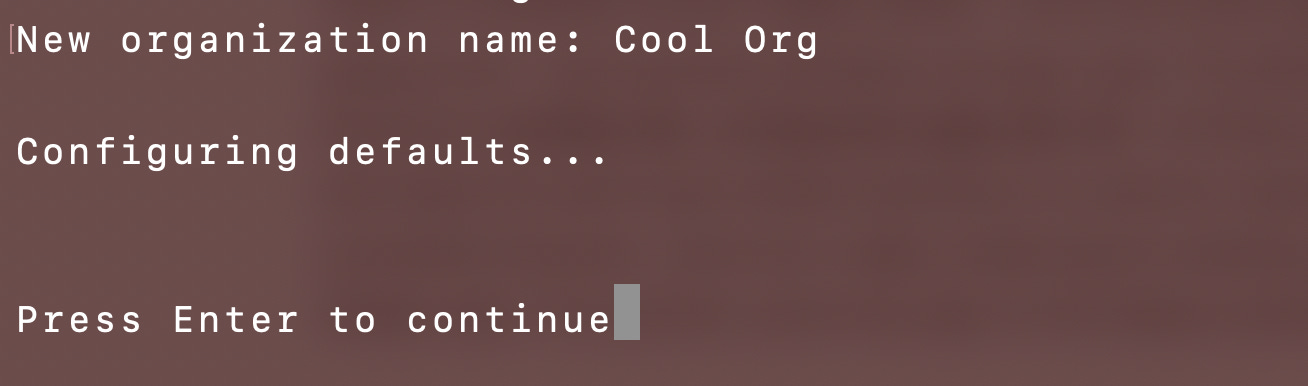
Select or add an organization
Adding an organization copies the default organization and modifies it to work as an organization configuration.
A number of somewhat self-explanatory options exist for configuring an organization.
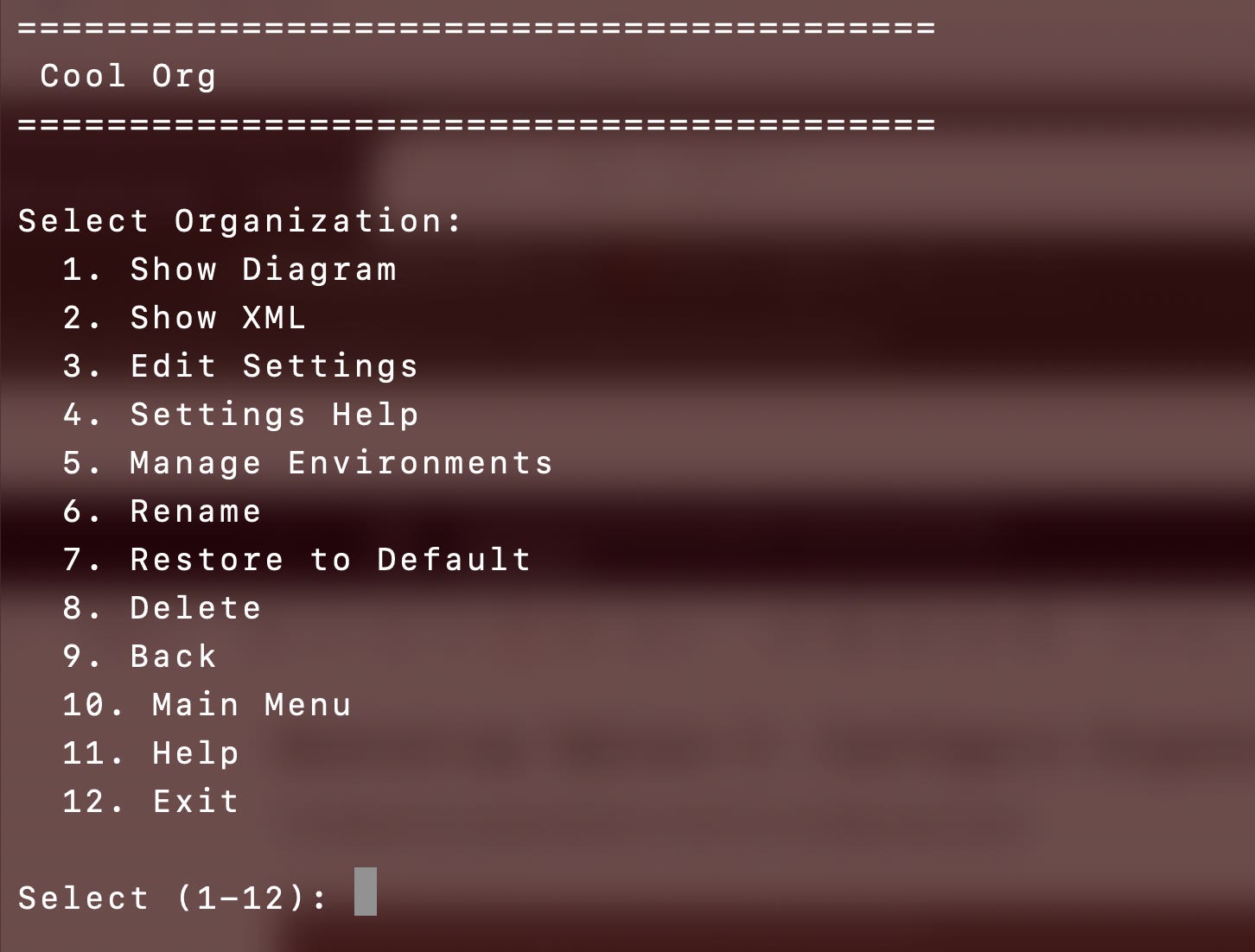
Settings: The settings for an organization include things like the name of the bootstrap role to use to deploy organization resources, IP addresses allowed to deploy resources, MFA ARNs used in AWS CLI configurations that require MFA, and so on.
Restore to Default: The organization starts with the initial organizational types configuration. After modification it is possible to restore the entire organization, an environment, or an account to the default configuration.
Manage Environments: Add and configure organization environments which consist of other environments, accounts, and resources. This is where the need for types comes into play. You may have an KMS type account in multiple environments, or a project type account in multiple environments, or the same environment type (web, for example) for production and development, or the same environment type for multiple lines of business or departments. However, organizational resource types can only be added once per organization, environment resource types can only be added once per environment, and the management environment can only be added once per organization. That’s why there’s a separate step for managing types versus managing a configuration for a specific organization.
Diagram: Just as before you can review the diagram of environments and resources that will be deployed for an organization before you move to the next step. Resources will be deployed in the order listed if you choose “deploy all” for each group and ideally (working on this) in parallel wherever possible based on defined dependencies.
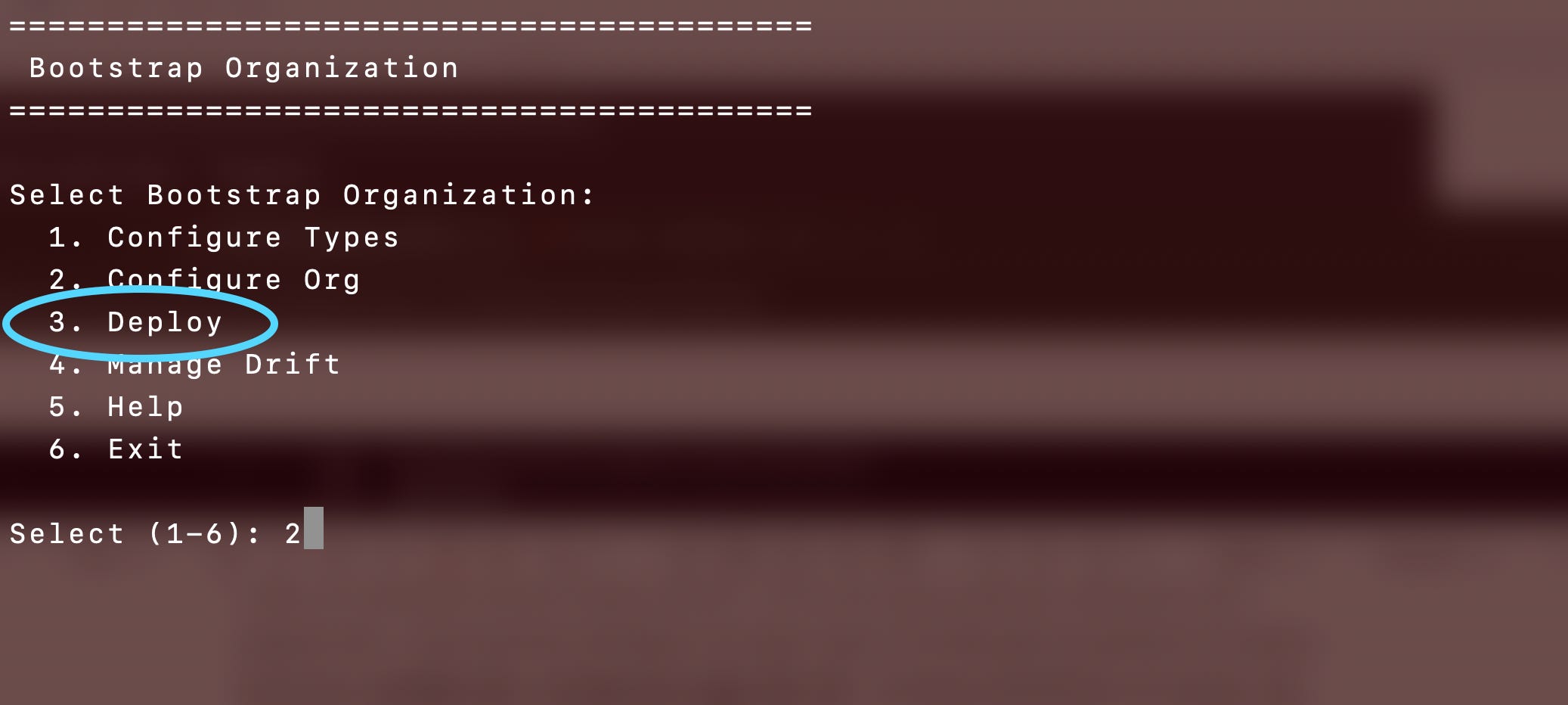
Bootstrap Option 3: Deploy
Once you have configured the organization choose deploy and magically it all gets deployed according to your configuration (ideally).
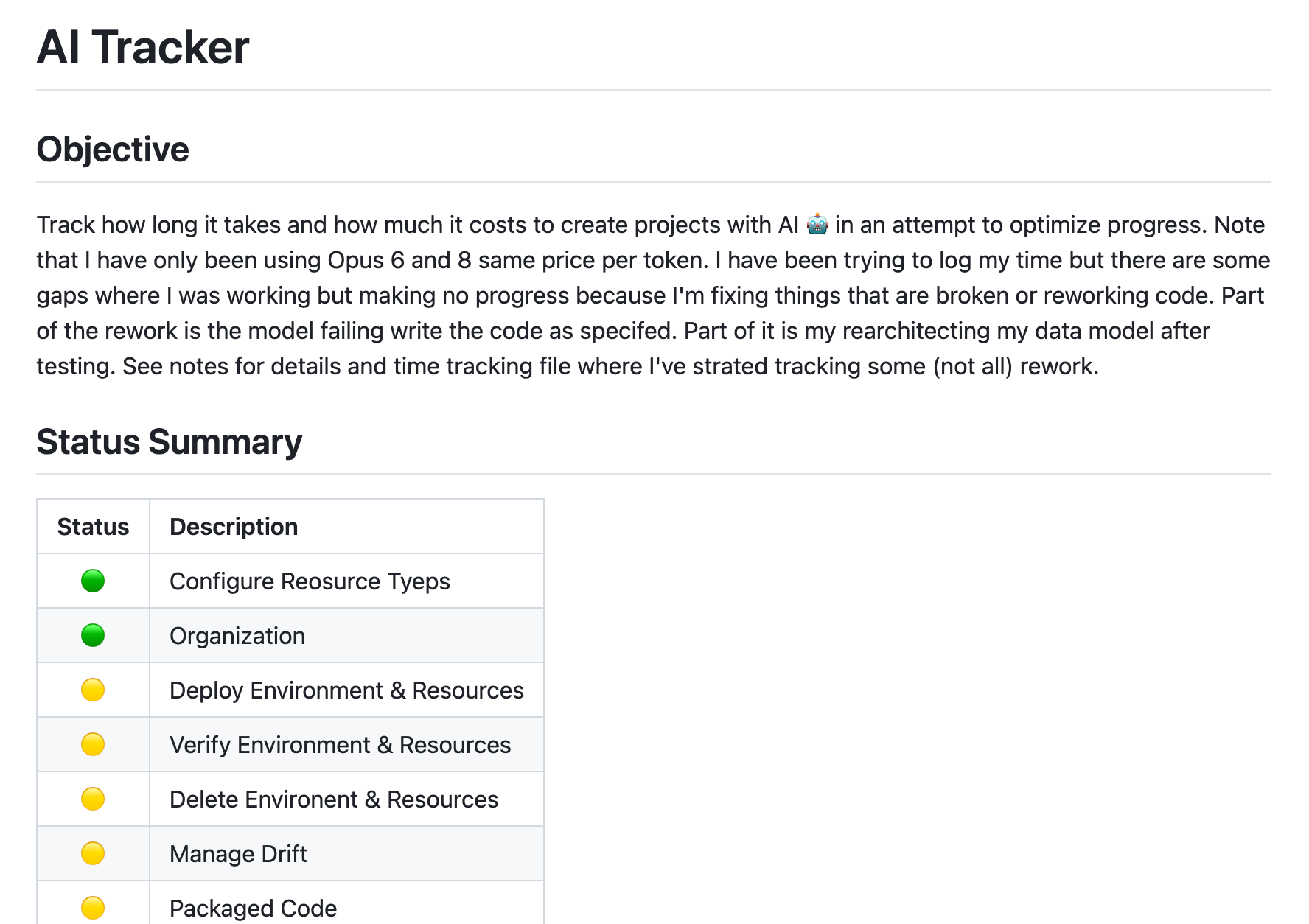
I’m tracking how I’ve currently got the organization configured (roughly) and what’s working and not on my ai-tracker GitHub repo where I’m working through and tracking what it takes to get this project done and how much it costs.
https://github.com/2ndSightLab/ai-tracker
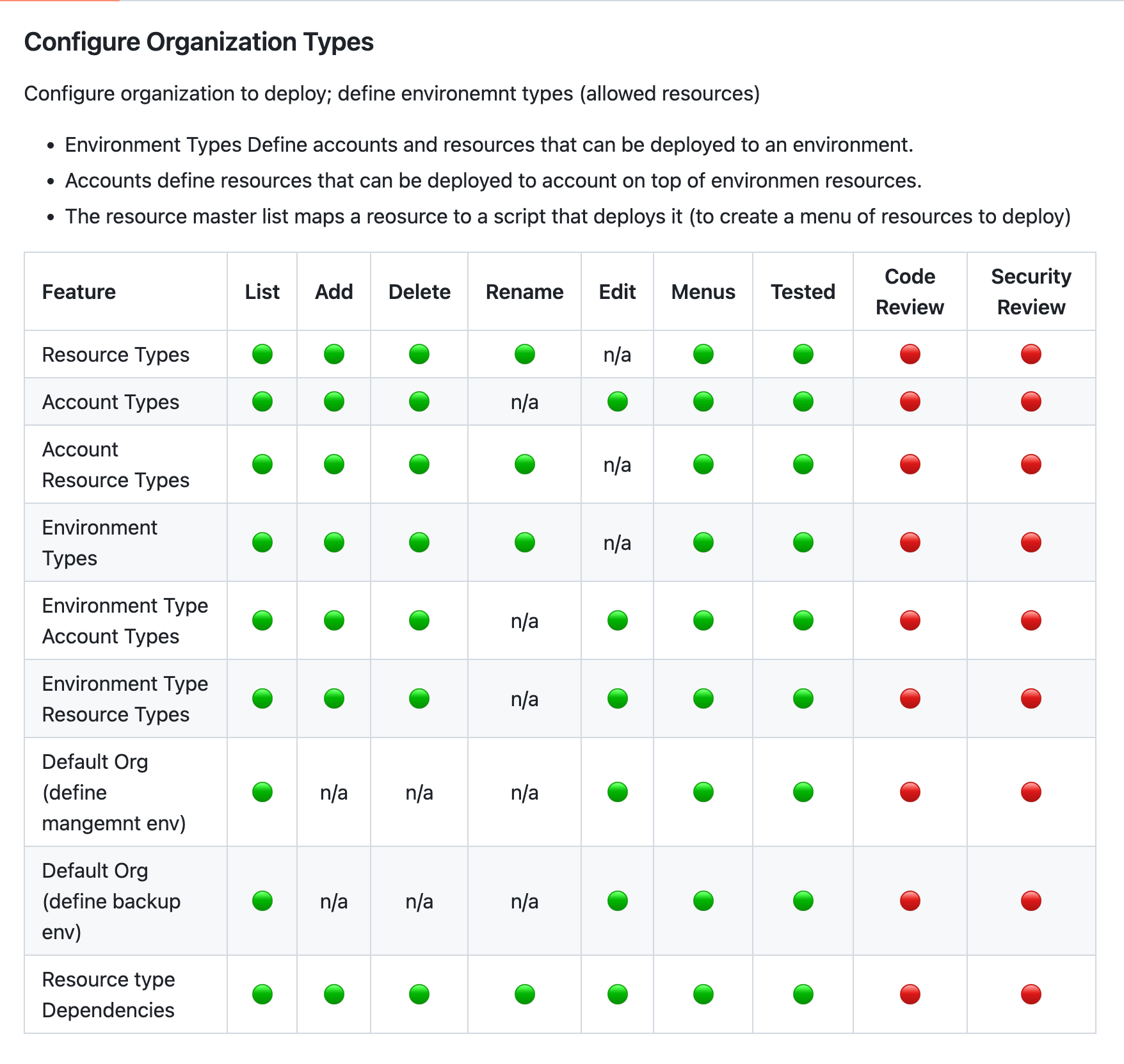
For example, here are some of the things completed for configuring resource types:
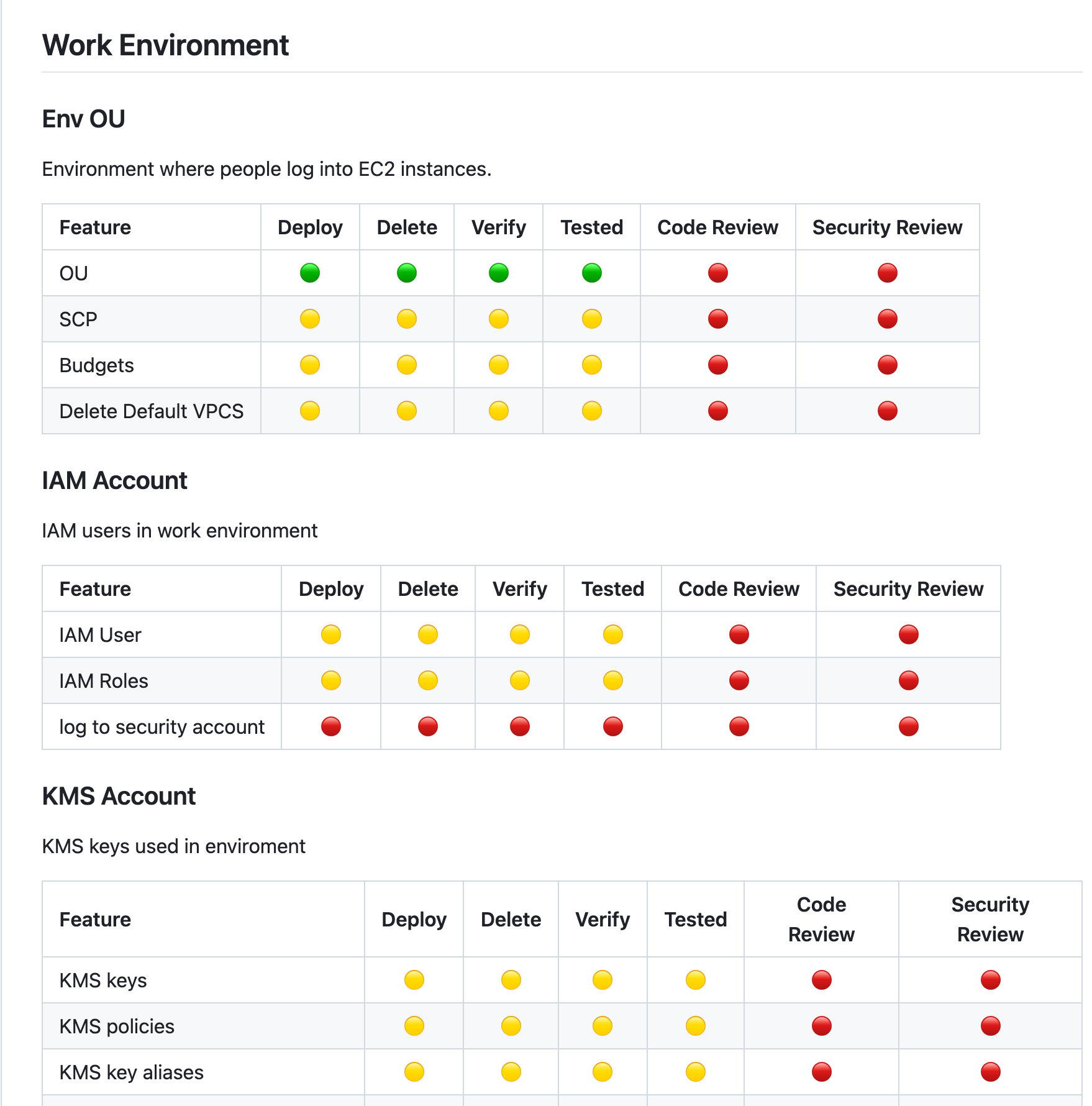
I’m working through the deployment of resource types (again) since I revamped the project to add the Configure Types and Configure Organization options. That required a new data model and in the end a better approach to deploying the resources. The new data model and approach required some revisions to the individual resource deployment scripts which I’m fixing now in some cases and implementing some of the resource actions for the first time that hadn’t been completed yet.
For example, these are the resources I’m deploying to what I call my “Work Environment” where people deploy EC2 instances and compute resources they log into remotely.
Bootstrap Option 4: Manage Drift
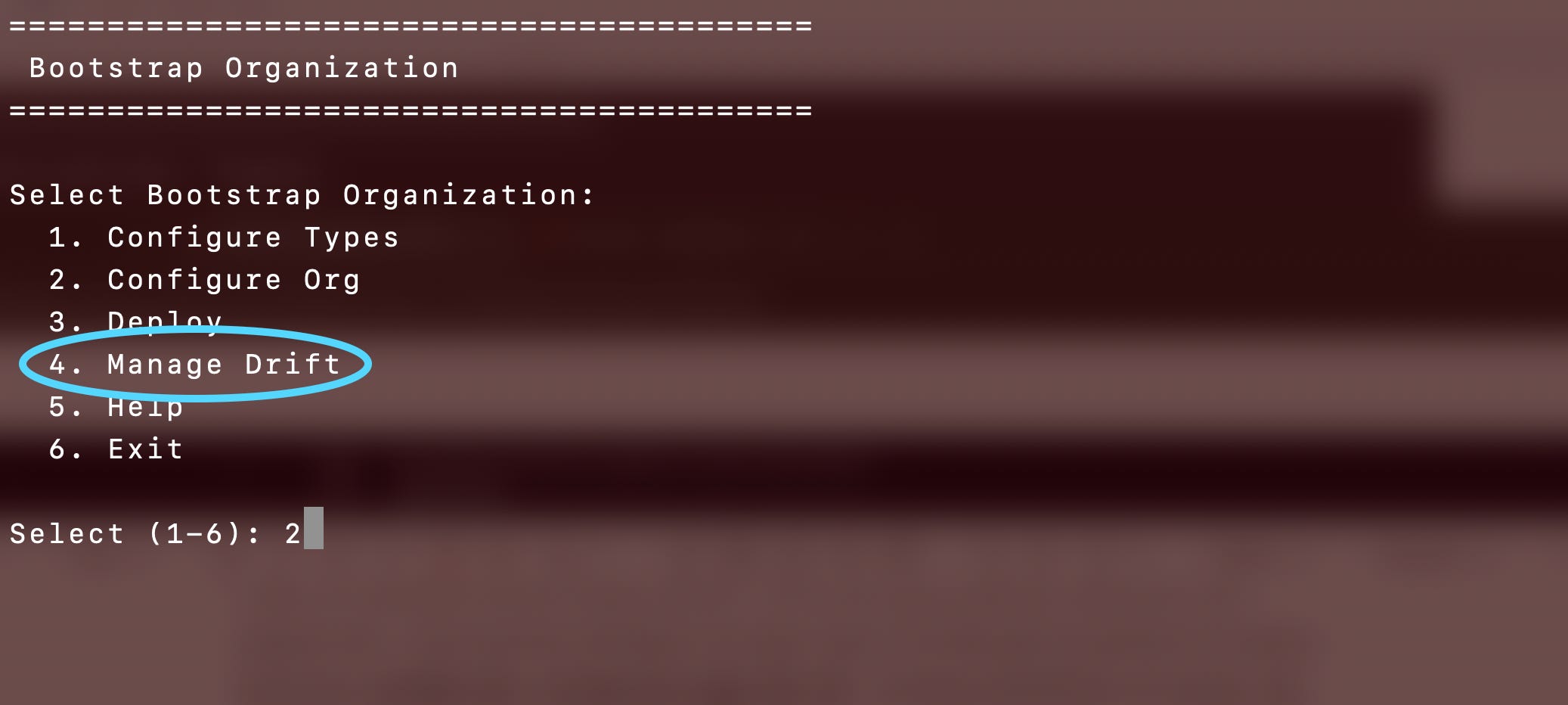
The last step is to manage drift. This step has some untested code as of now. Ideally this step is going to list any and all resources in an AWS account and let someone review what is unauthorized because it does not align with the defined AWS Organization configuration so they can clean it up.
Common Menus
If you look at the detailed notes and my usually daily account of how this project is going on my various social media accounts you will see that I have had A LOT of problems with menus. (Find posts on X which primarily has the most posts but I try to post to X, builder.aws.com, Mastodon, BlueSky, Threads, LinkedIn, and Facebook when I have time.)
AI models are not good at maintaining a consistent UI and terrible at data hierarchies and following architectural constructs. I ended up pulling the code that drives all menus into a common project. It can’t get mucked up if the other projects actually follow the directions in the README and use it which is a challenge unto itself. The menus are 100% data driven by XML files that define menu actions, resource types and subtypes and their action files.
Every menu has a common trailer to allow you to go back to the prior step or the bootstrap menu (in theory - in practice there are a few issues but it’s mostly working).

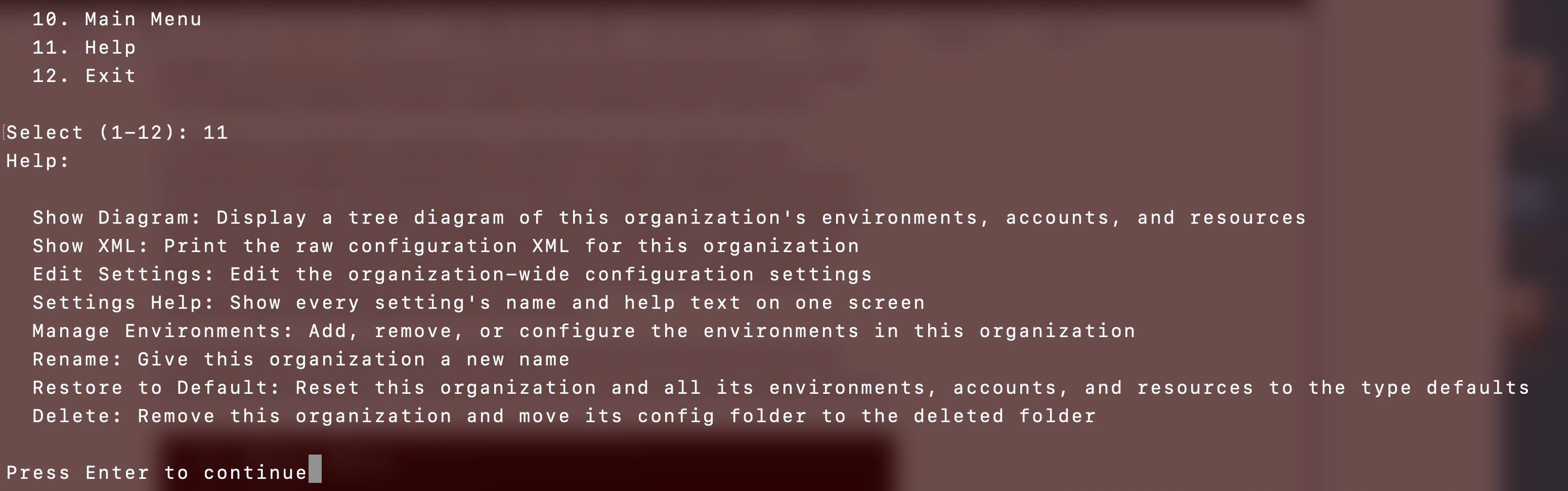
Help for each menu is data driven:
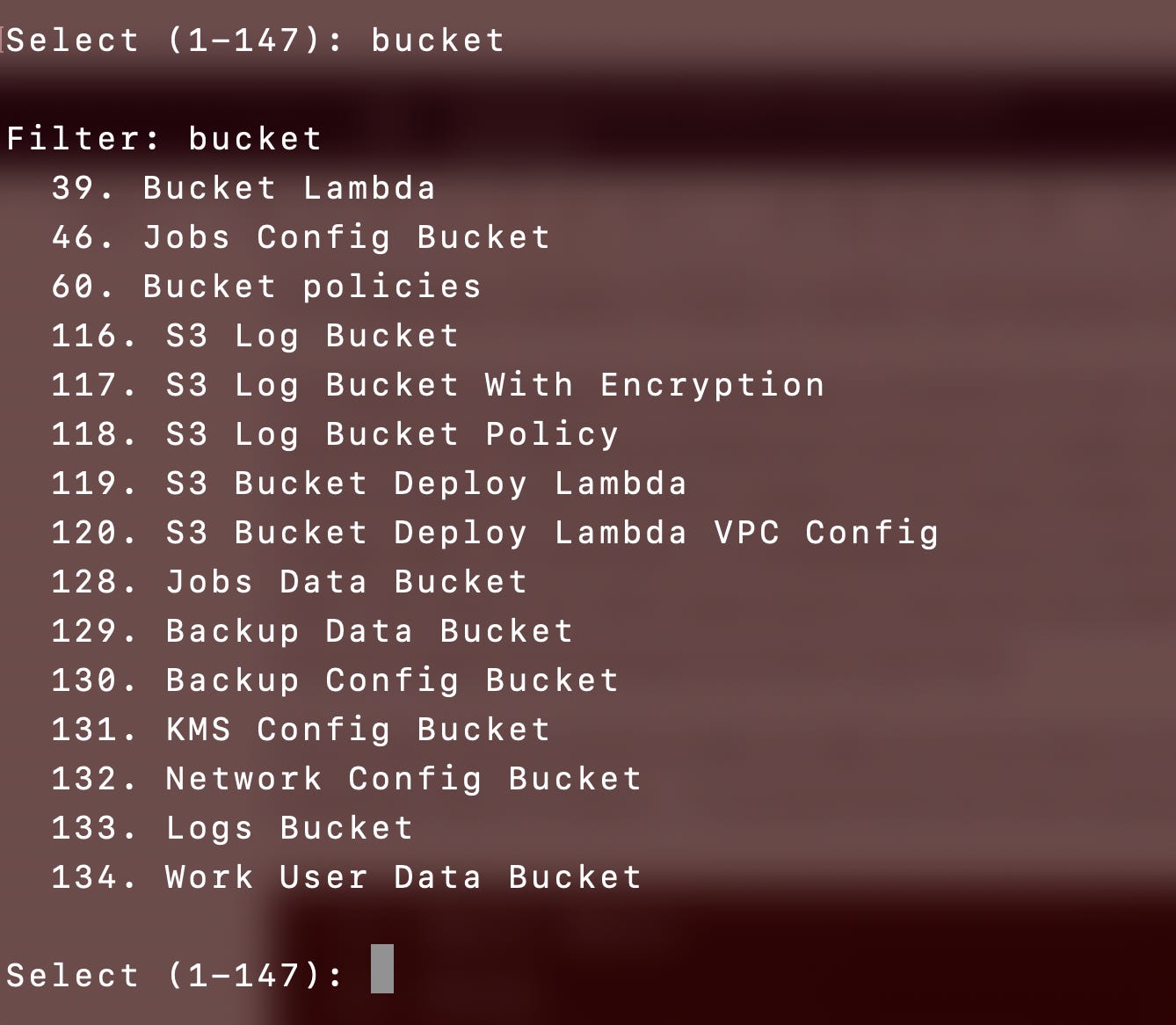
Every list can be filtered when letters are entered rather than numbers:
Every menu is supposed to have a banner with working breadcrumbs driven by the common menu project. This is not working in all places and I’m guessing that is because the individual projects are not implementing the banner correctly.
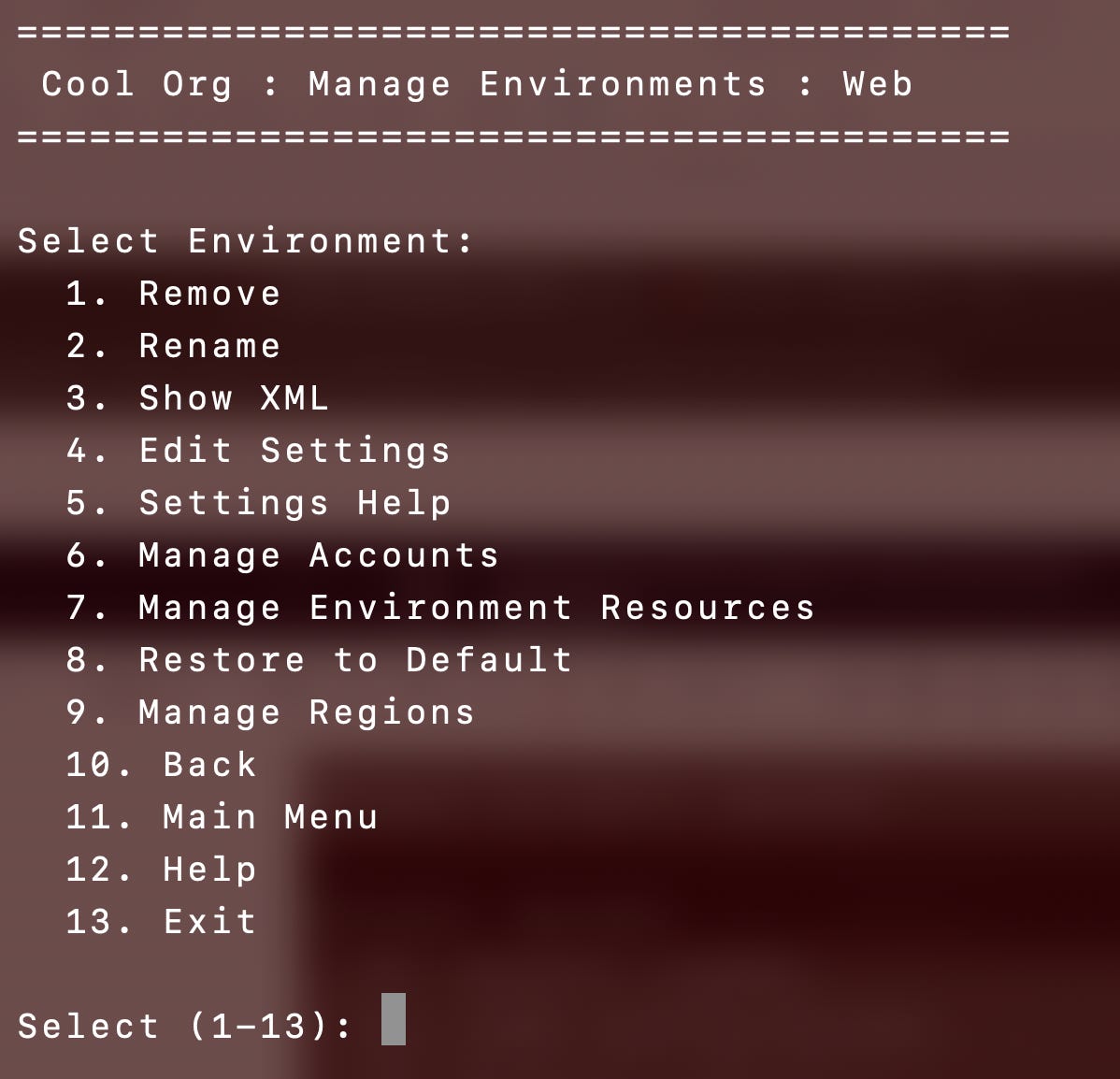
I have some other common components but you get the idea. If I move the common code out to a separate project and add tests to make sure it is working and IF the other projects use the common code as specified in the readme code I should be able to reduce time, mistakes, cost, and get more consistent results. That’s easier said than done but it’s more maintainable than a free-for-all.
AI Costs So Far
I’ve been tracking my AWS Kiro costs and I haven’t read the fine print but for some reason I haven’t been billed the full $200 per plan yet this month. Maybe there will be an adjustment at the end of the month. Also my costs per day are steadily rising. Not sure why. At any rate I’ve been using AI pretty much exclusively for this project and the related tracking functionality I’ve written about nearly daily on social media and in this repository in the sections: fixed (done), mistake-tracker, cost-tracker, issues, and my AWS wishlist as I come across things I’d love AWS to fix.
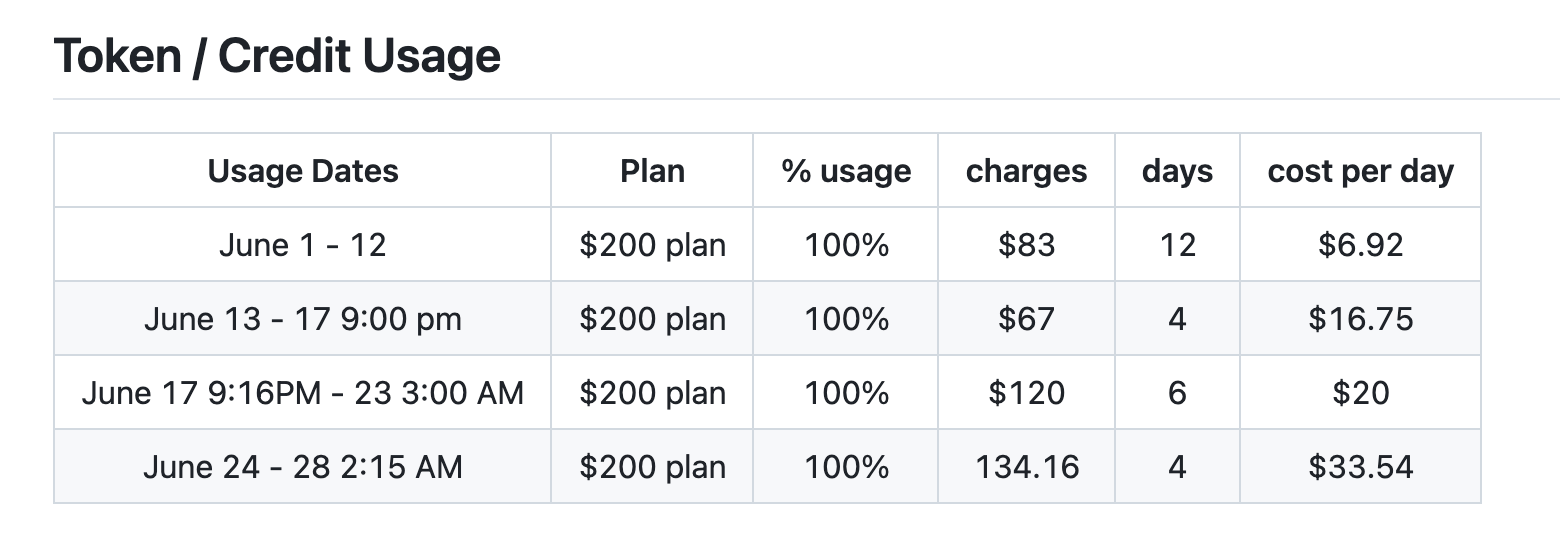
As you can see I maxed out 4 $200 plans which = $800 but for some reason my actual costs reported are roughly half that amount so far. I’m not sure why. I’ll come back and edit this post if they jump. That may be in part because Anthropic keeps resetting token usage on accounts due to various issues they experience or find in their models. Is this trickling down to AWS users? I don’t know. None of this really makes sense but I’m afraid of what happens if this gets “adjusted to actual” and people get a surprise bill double what they are expecting based on average usage per month at some point. I hope not!
I posted costs since the start above which I get from a custom AWS cost management dashboard I created for this project.
https://github.com/2ndSightLab/ai-tracker/blob/main/cost.md

Summary
This is a very flexible framework for defining an AWS configuration. You can probably imagine how different portions of this application could be made accessible to people who are allowed to configure and deploy various resource types to an AWS organization. Security and governance teams can provide approved scripts for deploying different types of resources which others in the organization can use to deploy those resources. Different types of organizations can deploy the organizational structure that works for them.
A data driven architecture allows configuring the organization and automatically deploying all the resources regardless of the configuration. The technology and mechanisms to carry out individual resource actions is separate from the configuration and method used to invoke the actions.
I’ve made progress creating this application with a maintainable architecture. I’m trying to find ways to reduce mistakes, time, and cost to get it done as shown on my ai-tracker GitHub repo. The code as architected is mostly working. I am currently redeploying the organization using the new organization configuration functionality and fixing resource action scripts as needed to work with the new model. Keep an eye on this blog, social media, and my GitHub repo for updates.
Subscribe and follow Good Vibes and AWS Security for more posts like this.
— Teri Radichel
This is part of my series of blog posts on creating an AWS Bootstrap Script to set up secure AI agent infrastructure.