
What I've Vibe Coded In 2.5 Weeks
Compared to similar code I tried to implement for years to deploy an AWS environment for running batch jobs (as AI agents or not). How I did it.

On March 7th, 2026 I published a post about creating a way to push a Yubikey to run a job. As always one thing led to another and here I am again, essentially trying to set up a common infrastructure to execute batch jobs (or if you must, AI agents, though not all my jobs use AI).
In this post I’ll tell you what I have accomplished since that date as of today, March 24th in the wee hours of the morning. That’s 17 days later. About 2 and a half weeks of vibe coding. I have a reusable bootstrap script that deploys an AWS environment in an OU with multiple accounts and resources. Skip to the bottom of the post for the full list of resources.
Creating a Batch Job Environment Pre-AI
In order for you to understand the magnitude of this accomplishment you might want to take at my prior attempt to implement the same thing without AI.
I started writing about the benefits of using batch jobs for security on July 22, 2022 almost four years ago before the whole AI craze here:

https://medium.com/cloud-security/automating-cybersecurity-metrics-890dfabb6198
The goal was to be able to deploy common environments that enforced naming conventions and governance that I could use to run my batch jobs. Then I would show you some proposed batch jobs to run in that environment.
But it was complicated and time-consuming. One of the most complicated and time consuming things was trying to get the nitty gritty syntax of every little command correct. The other complicated thing was trying to interpret and figure out how to solve all the cryptic error messages I got in response to calling AWS APIs.
TWO. YEARS. LATER.
My last entry in the above post was March 24, 2024. That’s ironic and unplanned. The same date two years ago. So essentially I wrote about and tried to deploy that infrastructure for almost two years.
I pretty much gave up on my quest or at least writing about it for a few different reasons. One, Medium changed their payment model. I get like $10 per month and it’s just not worth the time and effort. I needed to focus more on paying work. It was just taking way too long. I figured I had given people with more resources than me enough information to get the job done.
If you read those posts you’ll understand all the nuances and security concerns when setting up AWS infrastructure - and it’s a lot. And by the way, if you start vibe coding, you still need to know all those things. Hold that thought.
Running the jobs in a manually created environment
After that point I was still working on it behind the scenes just not writing about it. I tried automating the environment a few different ways. I reworked my entire framework and improved the code dramatically so it became less error prone. I simplified things.
At some point I gave up (for the moment I thought) and set up a new test environment manually in the AWS console just to see if using the environment I envisioned automating would work but never got around to automating it.
Mostly I was working on automating my penetration testing and reporting versus automating the environment infrastructure because I needed to speed up the work I get paid to do. I’m constantly automating the things I do on penetration tests to reduce the time it takes me to do the repetitive things so I can spend more time on testing and less time on overhead and reporting. I try to get as much coverage as I can and produce valuable reports. I automate my reports, the tools I run - pretty much all the mundane things and focus my time on digging into the details of the customer’s unique architecture and application as much as possible.
So yeah that automation of the manually created environment never got done.
Not automating the environment caused a few problems but not too many. Things were not named consistently. I had to manually set up cross account roles that required MFA to assume them. Little things here and there were painful. But there’s only so much time in a day.
Do over 67
Four years later…
Using vibe coding prior to this I had already resolved some issues running jobs in parallel or sequentially, learned rust, wrote some proxies, and have a created pretty cool agent framework with some AI tools to use on pentests. I even got it to the point of running some of those things all night while I was sleeping. Along the way I also created a bunch of throw away code while figuring things out and have a bunch of scripts for doing different things on GitHub:
https://github.com/2ndSightLab
Mind you I just started vibe coding last September. And I’m probably not the fastest. I was skeptical but I figured don’t knock it till you try it. I haven’t been doing it that long and I have written a lot of code. I basically learned rust in one day (rudimentary but still, I had been putting it off for years, and I spent time digging into all the best practices after that and architectural components as they related to Java and .Net.)
So I was at this point where although I got my AI agents pretty much doing what I wanted it was kind of hokey to run it all. Now I’m back to this. I need a way to run these jobs consistently in a secure environment. I need to be able to easily and securely start and stop and monitor jobs.
That’s when the Yubikey idea came about.
I pretty quickly generated the Yubikey code and looked it over for security issues and rearchitected it a bit to fix a bunch of mistakes the AI agent made. But now I need DynamoDB and all things security like KMS keys, IAM roles, Buckets, Networks…and I really want it automated so if it goes down I can quickly restore it. I also want to deploy different environments in different accounts and be able to quickly deploy new jobs. Here we go again…
Only this time, I have a new tool in my tool belt - Kiro CLI which allows you to use a number of different models, including the one I used for most of this - Anthropic’s Opus 4.6 model. I wrote about why your model matters here:
So I took the un-automated environment I set up and had been tested and made a few tweaks. I had to go back and forth on how exactly to deploy the role and structure my bootstrap script. There were a few times I had to refactor and break complex things into separate projects for reasons I’ve written about in other posts on keeping thing simple when it comes to AI to keep your code on track.
By structuring my code and creating requirements the way I described in this simple getting started post (I don’t even use a steering file, just a README.md), here’s what I got done:
I’ve deployed all the infrastructure in the list below at first glance it looks right.
I reviewed the code as I went to a degree.
I still need to log into each account and review each resource but what I’ve checked so far is mostly right.
I need to revisit some overlapping VPC CIDRs.
Need to add S3 bucket policies
I already dug into where the cryptographic bits of the Yubikey registration should be stored so I am ready to test the Yubikey implementation, fix bugs, and review for security issues.
I need to test launching batch jobs (with or without AI agents) on EC2 or Lambda - this was implemented with the Yubikey Lambdas and includes using EC2 spot instances. This will take some time to integrate with my existing batch jobs and AI agents.
I haven’t tested creating the production environment which includes a few other accounts and to which I will add deployment of organizational resources such as GuardDuty, CloudTrail, and other AWS Organizations Delegated Administrator privileges.
I spent most of the time on the VPC implementation. I have the bootstrap script create a base VPC configuration that the user can edit using a UI script. That gets stored in an XML file. That XML file is used by the Lambda function to deploy the whole network configuration in a network account and all the resources are shared via RAM to all the other accounts.
By putting complex resources in Lambda functions in separate projects, I can get that working and make sure it is not adversely affected when I’m working on deploying some other resources. I’ve written before about I create separate permissions on different projects in my multi-agent workflow so an “agent gone wild” doesn’t mess up a whole bunch of code at once. The blast radius is limited.
I direct the agent not to put logic into the main script except to source other scripts and put each individual resource type or action into it’s own file. That helps the agent figure out what code needs to be updated so it doesn’t mess up unrelated code.
I have the agent track it’s own mistakes for future reference. When I get an error I literally just copy and paste it into the chat window and most of the time the Kiro CLI agent just fixes it.
If I see it updating incorrect code or an incorrect file I immediately stop it. For complex changes or if I see it making a mistake I ask for a plan first so I can see what it thinks it needs to to. I generally ask it to: Update the requirements. Fix. Verify the fix.
I configure my agent with a short global prompt that directs it to follow the rules in the readme and meet all security requirements every time.
Note that I do not let random UI agent actions deploy any resources. I used AI to write deterministic code to deploy the resources in a repeatable, consistent, trustworthy manner.
I also added some bonus Lambdas along the way while waiting for other things to deploy that I need to test and will probably take some time to get to a production ready state:
A batch job deployment lambda function. Batch jobs themselves require specific infrastructure such as roles and security groups and compute resources.
I wrote about archiving an AWS account - I set up the Lambda and need to move that code into it. That will help me migrate things and tear down my old environments.
I also wrote about deploying an S3 website. I wrote a Lambda for that but need to test and I expect this one will take a bit of time. The cool think is, the account and environment is all set up to support dev and production sites and I structured the code to work for different environments.
Bootstrap Script
Basically what I’ve created is a bootstrap script that can deploy an environment, allowing the user to choose some configurations along the way. Here’s what gets deployed at a high level:
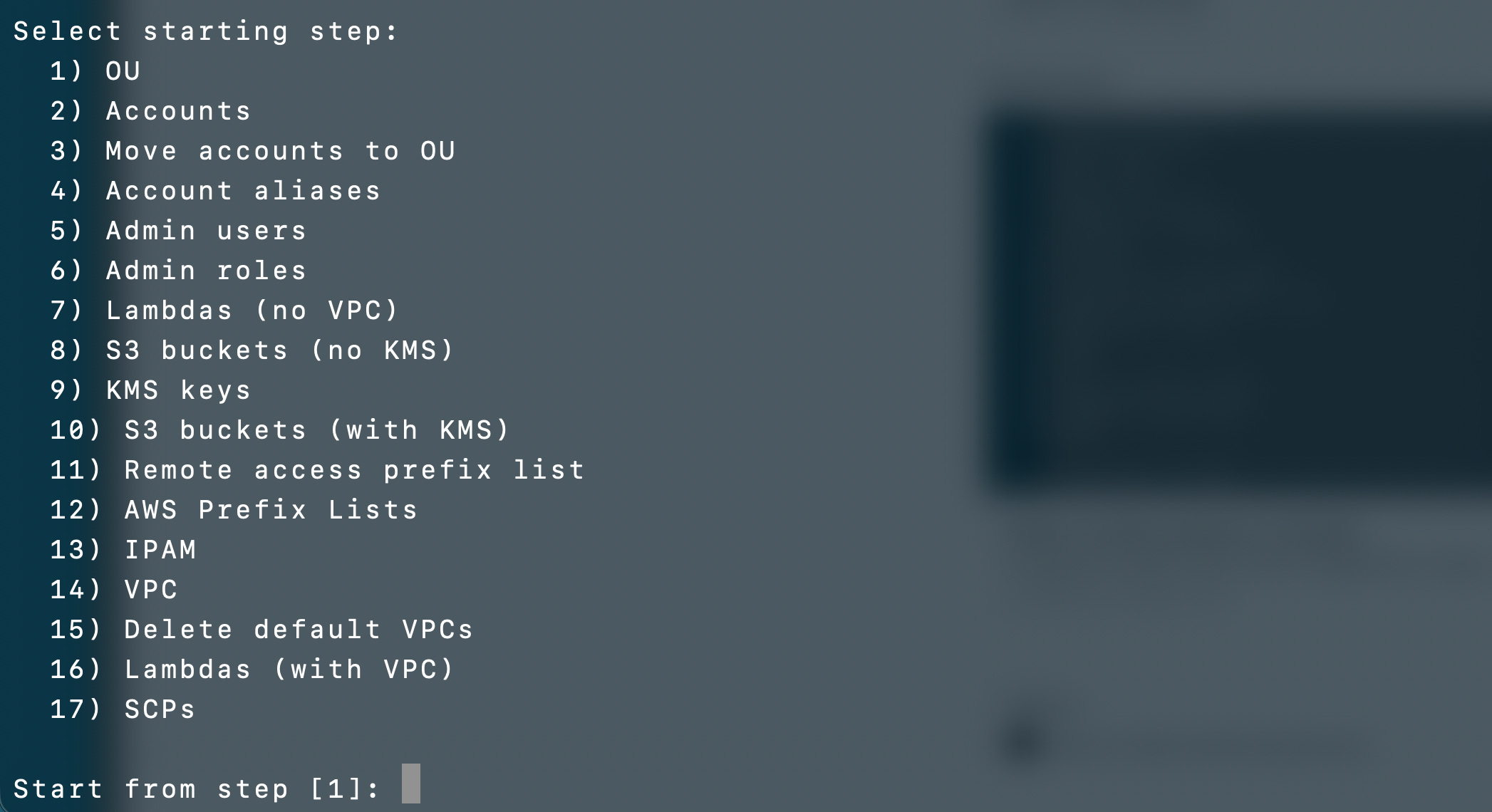
I had my AI agent generate a list of all the things deployed across all my projects and this does not include the batch jobs or agents themselves. This is not theoretical. All the things below are all deployed. It is a lot to get done in the time I took! I have a lot of testing yet to do and some of this may change as a result, but the amount completed already is pretty good given the timeframe and it mostly looks correct. I’m sure I’ll find some bugs to fix but it’s so much easier to fix the bugs and sort out the error messages now.
# Resources Created by Environment Bootstrap

This document generically describes every AWS resource created or deleted by the
environment bootstrap process. No specific resource names, script names, account
IDs, ARNs, step numbers, or sensitive information should appear in this file.

## Multi-Region Deployment

The bootstrap deploys region-specific resources (Lambda functions, S3 buckets,
KMS keys, VPCs, prefix lists, IPAM allocations) in every region the user selects
during configuration. Global resources (IAM users, roles, policies,
Organizations OUs, accounts, SCPs) are deployed once. The user is prompted for
the list of regions during initial configuration.

## Deployment Modes

The bootstrap supports two deployment modes:
- Organization mode — deploys a full multi-account environment with dedicated
  accounts for each function (network, jobs, IAM, KMS, etc.), an OU, SCPs, and
  cross-account roles
- Single-account mode — deploys all resources into a single existing account
  without creating OUs, accounts, or cross-account roles; useful for development
  or isolated environments

## Pre-requisite: Bootstrap Role (management account)

Created by the bootstrap role script in mangement account before the main bootstrap runs:

- Bootstrap IAM role — used to perform Organizations actions (create OUs,
  accounts, SCPs) from the management account; has a permission boundary that
  prevents modifying its own permissions and denies actions on protected OUs
- Bootstrap permission boundary — managed IAM policy attached to the bootstrap
  role; scopes allowed actions and prevents privilege escalation
- Bootstrap IAM user — user in the management account with an inline policy
  allowing sts:AssumeRole on the bootstrap role and on any organization admin
  role, both requiring MFA and source IP conditions

## AWS Organizations

- One Organizational Unit (OU) for the environment, created at the organization
  root
- One "backup" OU at the organization root (if it does not already exist)
- Organization ID and root OU ID are stored in configuration for use by other
  resources

## AWS Accounts

Standard accounts (created in every deployment):
- Network account — hosts VPCs, subnets, prefix lists, and RAM shares
- Jobs account — hosts job execution lambdas, config/logs/data buckets
- IAM account — hosts IAM users, Yubikey auth lambdas, DynamoDB tables
- Work account — developer workspace, shared VPC subnets
- AMI account — machine image management
- KMS account — hosts KMS keys and config bucket
- Web account — web-facing resources, S3 web hosting lambda
- DNS account — DNS management
- Honeypot account — isolated honeypot VPC

Organization-only accounts (created when deploying the management OU):
- Security account — security logs bucket
- Org account — organization-level resources

Special accounts:
- Backup account — isolated in the backup OU, accessible only via the root role;
  hosts its own KMS key, KMS lambda, bucket lambda, and backup-related S3
  buckets

All accounts are moved to the environment OU after creation (except the backup
account, which is moved to the backup OU).

Each account is created with an organization admin role for initial access.

Each account receives an IAM account alias matching its account name, allowing
sign-in via a friendly URL instead of the account ID.

## IAM Users (in IAM account)

- Cross-account admin user — can assume the cross-account admin role in any
  account; inline policy requires MFA and restricts source IPs
- IAM admin user — can assume the IAM admin role in any account; inline policy
  requires MFA and restricts source IPs

## IAM Roles (in every account except backup)

- Organization admin role — created automatically during account creation; used
  for initial account setup and lambda deployment

- Cross-account admin role
  - Trust policy: only the cross-account admin user in the IAM account can
    assume it
  - Requires MFA and admin IP conditions
  - Inline policy allows all actions except IAM in that account

- IAM admin role
  - Trust policy: only the IAM admin user in the IAM account can assume it
  - Requires MFA and admin IP conditions
  - Inline policy allows only IAM actions, denies create-user and pass-role
  - Has a permissions boundary (managed IAM policy) that prevents the role from
    modifying its own permissions, its own boundary policy, creating users, or
    passing roles

## Lambda Functions

Each Lambda function deployment creates the following supporting resources:
- CloudWatch Logs log group for execution logs
- IAM execution role with a trust policy for the Lambda service
- IAM inline policy on the execution role scoped to the specific permissions
  needed

Infrastructure lambdas (deployed without VPC first, then redeployed with VPC
where applicable):

- Bucket deployment lambda — deployed to every account that needs S3 buckets
  (jobs, web, security, backup, KMS, network accounts); creates and configures
  S3 buckets
- KMS deployment lambda — deployed to KMS account and backup account; creates
  and manages KMS keys based on config uploaded to S3
- VPC deployment lambda — deployed to network account; creates and configures
  VPCs and all VPC sub-resources
- Archive account lambda — deployed to jobs account; handles account archival
  operations
- S3 web hosting lambda — deployed to web account (organization mode only);
  configures S3 static website hosting
- Prefix list lambda — deployed to network account (organization mode only);
  manages AWS-managed IP prefix lists

Authentication lambdas (deployed to IAM account):
- Yubikey auth Lambda Layer — shared layer providing Yubikey authentication
  libraries; attached to the register, auth, job-list, and job-invoke lambdas
- Yubikey register lambda — handles Yubikey device registration; creates a
  DynamoDB table for storing registrations
- Yubikey auth lambda — handles Yubikey authentication verification; has a
  resource-based policy allowing cross-lambda invocation from within the
  organization

Job management lambdas (deployed to jobs account):
- Job list lambda — lists available jobs from SSM Parameter Store; serves an
  HTML interface with WebAuthn authentication
- Job invoke lambda — invokes job execution after independent Yubikey
  verification; creates a Lambda Function URL for browser access
- Job deploy lambda — deploys job definitions; creates an ECR repository, Docker
  image, EC2 instance role with instance profile, and a Secrets Manager secret
  for deployment credentials used with MFA

Lambdas deployed to accounts with a private subnet receive VPC configuration to
run inside the VPC. All lambdas are first deployed without VPC, then redeployed
with VPC configuration after VPCs are created. During VPC redeployment, the
script queries the network account for private subnets (no internet gateway in
the route table), checks RAM resource shares to find subnets shared to the
lambda's account, and presents only eligible subnets. If no private subnet is
shared to the lambda's account, that lambda is skipped. The user can also choose
to skip VPC deployment for any individual lambda.

Each account with lambdas gets a managed IAM policy granting KMS decrypt,
describe, generate data key, and encrypt permissions on KMS account keys. This
policy is attached to every lambda execution role in that account. It does not
grant access to backup account KMS keys.

## S3 Buckets

Jobs account buckets:
- Jobs config bucket — stores job configuration files
- Jobs logs bucket — stores job execution logs
- Jobs data bucket — stores job data

KMS account bucket:
- KMS config bucket — stores KMS key configuration XML files uploaded before
  lambda invocation

Network account bucket:
- Network config bucket — stores VPC and network configuration

Security account bucket (organization mode only):
- Security logs bucket — stores security-related logs

Web account bucket:
- Web logs bucket — stores web access logs

Backup account buckets:
- Backup logs bucket — stores backup operation logs
- Backup data bucket — stores backup data
- Backup config bucket — stores backup and KMS configuration for the backup
  account

All bucket names include the account ID, region, and a standard suffix to ensure
global uniqueness. Buckets are initially created without encryption, then
updated with the corresponding KMS key for server-side encryption after KMS keys
are deployed. Each bucket has versioning enabled and a lifecycle policy that
retains a limited number of noncurrent versions before expiration.

## KMS Keys (in KMS account, per region)

- Logs key — encrypts log data; OU-scoped cross-account access for admin and
  deploy/lambda roles; additionally allows CloudWatch Logs and VPC Flow Logs
  services to encrypt data, scoped to the region and to accounts within the OU
- Config key — encrypts configuration data; OU-scoped cross-account access
- Auth key — encrypts authentication data; OU-scoped cross-account access
- Jobs key — encrypts job data; OU-scoped cross-account access
- Secrets key — encrypts secrets; restricted via kms:ViaService to Secrets
  Manager only; OU-scoped cross-account access
- AMI key — encrypts machine images; includes kms:CreateGrant permission with
  GrantIsForAWSResource condition for EC2/EBS usage; OU-scoped cross-account
  access

Backup account KMS key (per region):
- Backup key — encrypts all backup buckets; root-only access policy (no OU
  cross-account access); created using the KMS lambda in the backup account

All KMS key policies grant full access to the account root and scoped cross-
account access to environment admin roles and deploy/lambda roles within the OU
(except backup keys which are root-only). Cross-account access uses organization
path and role name conditions to restrict usage to the environment OU and
specific role patterns.

## VPCs (in network account, per region)

Default VPCs:
- Jobs VPC — public and private subnets; RAM shared to jobs account; VPC
  endpoints on private subnet for CloudWatch Logs, Lambda, KMS, EC2, Secrets
  Manager (Interface type), S3 and DynamoDB (Gateway type)
- Web VPC — public subnet; RAM shared to web account
- Work VPC — two public subnets (dev and tools); RAM shared to work account
- Honeypot VPC — public subnet; RAM shared to honeypot account
- IAM VPC — private subnet; VPC endpoints for DynamoDB, CloudWatch Logs, KMS,
  EC2, S3 (Interface/Gateway); RAM shared to IAM account

Additional custom VPCs can be added interactively after default VPCs are
deployed.

No NAT gateways are deployed on any default VPC (optional in VPC configuration script)

Default security group rules are removed.

After VPC creation, the AWS default VPC is deleted in every account in the OU
(including the backup account) across all regions. All dependencies (internet
gateways, network interfaces, subnets, non-main route tables, non-default
network ACLs, non-default security groups) are removed before the default VPC is
deleted.

Each VPC creates the following sub-resources:

- VPC — the virtual private cloud itself, with DNS support and DNS hostnames
  enabled
- Subnets — one or more subnets per VPC, each with a CIDR block and availability
  zone; public subnets have auto-assign public IP enabled
- Internet Gateway — created and attached when the VPC has at least one public
  subnet; tagged with the VPC name
- NAT Gateway — only created if explicitly enabled in config (not enabled by
  default); includes an Elastic IP allocation
- Route Tables — one per subnet, associated to the subnet; public subnets route
  to the internet gateway, private subnets route to the NAT gateway (if
  present); supports custom routes
- Network ACLs — optional per-VPC and per-subnet NACLs with configurable
  ingress/egress rules; custom NACLs are associated to their subnet, replacing
  the default
- Security Groups — created in two phases (create all first, then add rules) to
  support cross-references; rules support CIDR blocks, prefix list references
  (including lookup by name), security group references (by name or ID), and
  self-references
- VPC Endpoints:
  - Gateway endpoints (S3, DynamoDB) — associated with all route tables in the
    VPC; free
  - Interface endpoints (CloudWatch Logs, Lambda, KMS, EC2, Secrets Manager) —
    deployed into specified subnets with private DNS enabled and optional
    security groups; incur hourly and data processing charges

Before each VPC is deployed, the script calculates and displays an itemized
estimated monthly cost breakdown covering NAT gateways, VPC flow logs, subnet
flow logs, interface endpoints (per AZ), and gateway endpoints. The user must
confirm the estimated cost before deployment proceeds.
- VPC Flow Logs — per-VPC and per-subnet flow logs to CloudWatch Logs; each
  creates:
  - A CloudWatch Logs log group with configurable retention (default 90 days),
    optionally encrypted with a KMS key
  - An IAM role for the VPC Flow Logs service to write to CloudWatch Logs, with
    a scoped inline policy
- RAM Resource Shares — per-account shares that grant cross-account access to
  subnets (and optionally prefix lists); each share is named and tagged

## IPAM (IP Address Manager)

- IPAM instance — created in the network account in a user-selected region
  (limited to one IPAM per account); manages public IPv4 address allocation
  across all operating regions
- IPAM public scope pool — pool sourced from Amazon's public IPv4 address space;
  used to allocate contiguous IP blocks
- Per-region CIDR allocations — contiguous public IPv4 block (/30 = 4 IPs or /29
  = 8 IPs) provisioned from the IPAM pool in each operating region; allocated
  IPs can be assigned to EC2 instances; incur IPAM Advanced tier charges per
  active IP plus standard public IPv4 charges
- If the user requests a block larger than /29, the script submits a quota
  increase request via AWS service-quotas and displays the request ID
- IPAM RAM share — shares the IPAM pool to the environment OU via AWS RAM so
  accounts in the OU can use the allocated addresses; external principals
  disabled
- IPAM ID, pool ID, and per-region allocated CIDRs are stored in the environment
  XML configuration

## Prefix Lists

- Remote access prefix list — custom managed prefix list in the network account
  containing authorized remote access IP CIDRs; deployed in all regions
- IPAM CIDR prefix lists — one per region with an IPAM allocation, containing
  the allocated public CIDR for that region; deployed in the network account
- AWS managed IP prefix lists — deployed via lambda in the network account
  (organization mode only)

## AWS RAM (Resource Access Manager)

- Prefix list RAM share — shares the remote access prefix list to the
  environment OU; deployed in all regions with external principals disabled
- IPAM pool RAM share — shares the IPAM public pool to the environment OU;
  deployed in the IPAM home region with external principals disabled
- VPC subnet RAM shares — each VPC shares its subnets to the designated account
  via RAM (configured per VPC during deployment)

## Service Control Policies (SCPs)

- Deny external access SCP — attached to the environment OU; denies all actions
  where the target resource is not within the environment OU path (uses
  aws:ResourceOrgPaths condition)
- Deny Yubikey invoke SCP — attached to the environment OU; denies lambda
  invocation on Yubikey authentication lambdas unless the caller is an
  authorized job execution role within the OU
- (Root policies are created separately)

Both SCPs are displayed to the user for approval before creation or update. SCPs
are deployed last, after all other resources.

## DynamoDB Tables

- Yubikey registration table

## ECR (Elastic Container Registry)

- Job deploy ECR repository; stores Docker images for the job deploy lambda

## Secrets Manager

- Deployment credentials secret — created in the jobs account by the job deploy
  lambda; stores temporary credentials for job deployment operations

## EC2

- Job deploy EC2 instance role — IAM role with EC2 trust policy, created in the
  jobs account for job deployment operations
- Job deploy instance profile — EC2 instance profile wrapping the job deploy
  role

## Lambda Function URLs

- Job invoke Function URL — public HTTPS endpoint for the job invoke lambda;
  allows browser-based Yubikey authentication and job invocation

## CloudWatch Log Groups

- One log group per Lambda function for execution logs (created during lambda
  deployment); each has a configurable retention period (default 90 days)
- One log group per VPC for VPC flow logs (created by the VPC lambda); retention
  is configurable during VPC setup
- One log group per subnet with flow logs enabled (created by the VPC lambda)

## Configuration Files

- Environment XML configuration file — stores all environment variables, account
  IDs, KMS key ARNs, bucket names, and deployment state
- Configuration backups — stored locally with timestamp-based filenames; only
  the last 10 backups per environment are retained
- Configuration is uploaded to the jobs config bucket when deployment completes

## AWS CLI Profiles (local)

- Source profile — stores IAM user credentials (access key ID and secret access
  key) for the bootstrap user (requires MFA to assume a role)
- Role profiles — one per account/role combination; each references the source
  profile, a role ARN, and an MFA serial; uses STS AssumeRole with temporary
  credentials

Before deployment begins, the user is prompted to change credentials and MFA
configuration. If credentials are reset, the role assumption process re-prompts
for access keys and MFA token.

The user can also select which deployment step to
start from, allowing re-runs without repeating completed steps.
To be fair - I didn’t use CloudFormation for this environment bootstrap script, but I think it could be fairly easily incorporated. I structured the code with a file per resource which could be translated to a CloudFormation one resource (and related resources) at a time. I am only one person and don’t really need to govern myself. With any more than one person I would have used CloudFormation. I have found that asking a Kiro AI agent for a single resource per template will yield pretty good results. More reasons to use my approach of creating CloudFormation micro-templates:
https://medium.com/cloud-security/cloudformation-micro-templates-ae70236ae2d1
Besides the time, another thing that deterred me from using CloudFormation was that to use a Lambda in a private network to deploy and update things I would have needed yet another VPC endpoint and they are kind of pricey. I really wish the cost of those would come down. I would need a CloudFormation endpoint in every account and a NAT does not provide the same benefits - and they cost a lot too if you need them in multiple accounts and regions. This is also why I choose S3 over parameter store for some other aspects of the deployment. Less services = less endpoints. I am going to also change my script to allow me to tear down and re-deploy the endpoints when not in use to save some money.
The VPCs were the most variable and complex thing to deploy. I could create similar scripts to read, edit, and store XML files for each resource. I could then create a translation script to convert each XML to CloudFormation or HCL if that’s what I needed. Many options for accomplishing that. But this is good enough for now. And translating this to CloudFormation was not the hardest part. The UI for the VPC components took by far the longest.
Oh and by the way, if you’re curious, I spent almost all my $200 in tokens for the month to get this far. I have a little under 10% left. I think I can use tokens more efficiently going forward with some of my learnings.
That’s it for now. I may write more about this implementation if time allows later but much of my thought process is already in my past blog posts on automating security and AWS security.
Just to reiterate, I really only use a simple process as described in this post - nothing fancy. The thing is, I write a small amount at a time and test it and check it as I go - just as if I were writing all the code myself. I think through the structure and create separate files and projects for different functions and resources. The less code per file and the more organized your structure so the agent can make sense of it, the less it will mess up. I actually think a separate steering file almost confuses the agent more so I stopped using that. Just a README. That’s it.
Subscribe for more stories like this and follow Good Vibes.
— Teri Radichel